

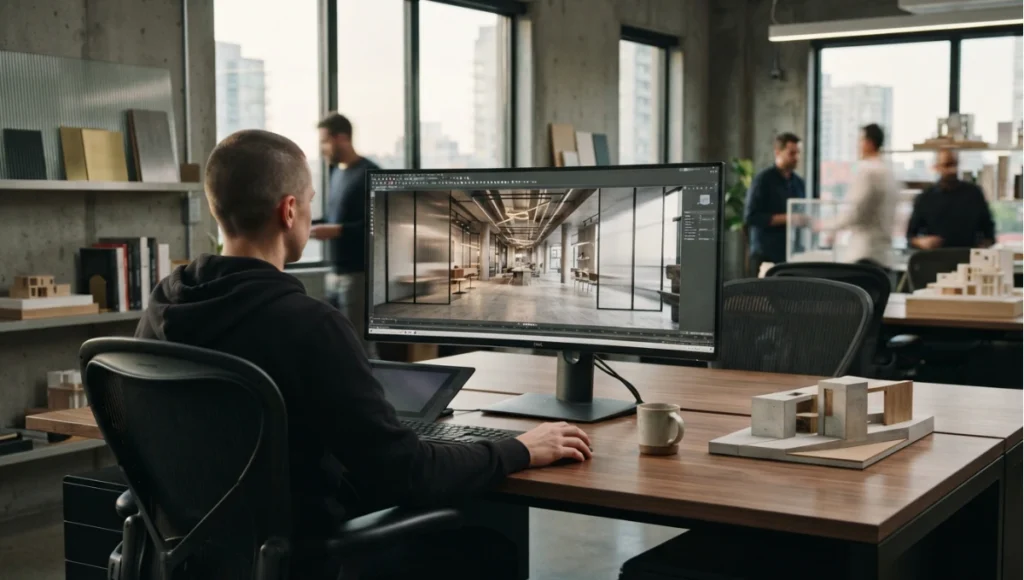
The engine choice rarely gets made on the merits. It gets made by whoever in the studio has used one before, or by whichever demo looked best on a launch page, and then the whole pipeline bends around that decision for years. The cost shows up in one place only: whether the studio can turn a model change into a signed-off image without rebuilding the scene. That is the test this matrix is built on, and it is why the rows are ordered by consequence rather than by feature count.
Choosing a rendering engine in 2026 is not a beauty contest — it is a workflow decision. This matrix compares Lumion, Enscape and D5 Render, Twinmotion, and Unreal Engine 5 context across the dimensions that actually decide studio output: interior light accuracy, iteration speed, BIM integration, platform support, and hardware tier. Every verdict below is sourced from our full reviews — follow the links for the complete data.
Nuvira Perspective
At Nuvira Space, we treat the rendering engine as production infrastructure rather than as a creative tool, because that is what it becomes the moment a project depends on it. The consequences of the choice are operational: how much of the week goes into rebuilding scenes, whether an interior can be presented straight from the model or needs an export pipeline, and whether the studio’s hardware budget has been spent on one card that actually carries the load or on two that do not. Our position is that engine selection should follow the deliverable — interiors presented live from BIM, exterior concepting where atmosphere is the argument, and hero material work where the fidelity justifies the staffing. Selecting by demo reel, or by whatever the last hire knew, is how studios end up with a pipeline that cannot do the work they actually sell. Everything below is stated relative to architectural visualization on production-style scenes, and it is stated as relative standing rather than as absolute measurement.
Comparative analysis: the 2026 rendering engine matrix
Read this table by column for a single engine’s character, and by row for the dimension that matters most to your studio. The verdicts are qualitative by design: they describe relative standing on architectural scenes, not benchmark scores.
| Dimension | Lumion | Enscape | D5 Render | Twinmotion | Unreal Engine 5 context |
|---|---|---|---|---|---|
| Interior indirect-light accuracy | Adequate — screen-space approximation degrades in deep interiors | Strong — path-traced mode ties for the lead | Strong — hybrid path-traced ties for the lead | Adequate — fastest for exteriors; interiors need more passes | Strong — Lumen GI; dark interiors need calibration |
| Material fidelity (glazing, concrete, water) | Adequate | Strong | Leads | Adequate | Strong |
| Atmosphere per unit effort | Leads by a clear margin | Adequate | Strong | Strong — rapid scene dressing | Adequate — maximum control, maximum effort |
| Iteration speed (BIM-connected) | Adequate | Leads | Strong | Strong — Live-Sync keynote | Strong — live-linked pipelines |
| Iteration speed (standalone sessions) | Strong | Strong | Leads | Leads — real-time-first design | Adequate — heavier scene setup |
| macOS viability | Limited — Windows-first | Limited — Windows-first | Limited — not a viable option for Mac-based work today | Stronger — macOS viable for professional work with caveats | Limited — Windows-first for production |
| Multi-GPU rendering | Limited — single-GPU focus in 2026 releases | Adequate | Adequate | Limited — single-GPU focus in 2026 releases | Strong — multi-GPU path tracing for hero frames |
| Large-terrain handling | Strong — landscape and massing specialty | Adequate | Adequate | Strong — terrain tools built for large sites | Strong — open-world tooling, foliage systems |
| Minimum hardware tier | Mid-range RTX for exteriors; high-end for interiors | High-end RTX for path-traced mode | High-end RTX for urban scale | Mid-range RTX; accessible entry point | High-end RTX or professional cards for production |
Verdicts marked Leads/Strong/Adequate/Limited reflect our full reviews: interior-lighting and material findings from the three-way quality comparison; Twinmotion workflow findings from Lumion vs Twinmotion; Unreal findings from our Unreal Engine 5 architecture guide; hardware tiers from our 2026 GPU picks.
Interior lighting: the key separator
The most consequential difference is interior illumination, and the reason is architectural rather than cosmetic. A screen-space approximation derives indirect light from what is already visible in the frame, so as the camera turns away from lit surfaces the light it infers falls away with them — which is invisible in an exterior massing shot and structural in a deep commercial interior. Fully computed methods derive indirect light from scene geometry instead, so a room reads consistently regardless of where the camera is pointed. Enscape in path-traced mode and D5 in hybrid path-traced mode both compute it; Lumion’s approximation does not, and the practical consequence is that a deep interior needs more passes, art direction around the camera, or a different engine for that deliverable.
Material fidelity, and what it actually affects
The material row is narrower than it looks in most comparisons, because all five options support physically based materials and none of them will make a badly authored material good. What separates them is behaviour at the extremes — glazing with layered reflections, large expanses of polished concrete, and water — where the difference between engines shows in how convincingly the surface responds to a moving camera. D5 leads here and Unreal matches it with more setup; the practical question is whether your deliverables rest on those surfaces, and for many studios they do not.
Atmosphere per unit effort
This is the row most often decided by preference rather than requirement, and it is worth separating two different jobs. Lumion’s advantage is environmental narrative: time of day, weather and mood reached with minimal manual work. Twinmotion’s is rapid scene dressing during design, which is a different skill applied to a different moment in the project. If your deliverables are exterior concept images which need to feel like a place rather than a model, this row outranks interior accuracy — and if they are interiors, it should not be weighted at all.
Workflow: BIM, live-sync, and platform
For BIM-connected teams, Enscape’s native integration leads, with Twinmotion’s Live-Sync the fastest route from model to viewport. Twinmotion is also the most viable option on macOS for professional work, with the caveats detailed in our review. Multi-GPU rendering remains limited across the Lumion and Twinmotion 2026 releases; Unreal scales to multi-GPU path tracing for hero frames. D5 is not currently a viable option for Mac-based work, so a Mac studio’s realistic choices narrow to Twinmotion or Enscape.
Step-by-step: deciding and setting up without wasting a week
This is the sequence that actually settles the question, in the order the decisions bind.
- Name the deliverable, not the preference. Write down what the studio has to produce in the next year: interior presentations, exterior concepting, hero material frames, VR walkthroughs, or animation. Most engine disappointment is a deliverable that was never in the brief.
- Test on your own model at your worst case. Take the heaviest scene you actually have — a deep interior with IES-profile lighting, a large terrain, a facade with layered glazing — and run it in the candidate engines for one hour each. Demo scenes are built to flatter; yours is built to reveal.
- Measure the round trip, not the first render. Time the full loop: change a model element in BIM, bring it through, and get back to a presentable frame. That loop, repeated across a project, is the real cost of the engine.
- Check the export path before committing. Confirm what the engine will hand to your other tools — geometry, materials, cameras — and where a manual rebuild is unavoidable. The pipeline you cannot export from is the pipeline that traps you.
- Match the hardware to the engine, not the reverse. Establish the tier the engine needs for your worst case, then buy a single card at that tier rather than two lesser cards, because VRAM does not pool across cards without a high-bandwidth interconnect.
- Standardise one engine per deliverable type. Mixed engines inside a studio reproduce the same scene twice and drift apart. Pick one for interiors and one for exterior concepting at most, and write the choice into the studio standard.
- Date-stamp the decision. Driver releases, engine versions and card generations move quarterly, so record what was compared, on which versions, and when — a decision log makes the next review a comparison rather than an argument.
The order matters because each step can end the evaluation cheaply. If the deliverable list does not include interiors, the interior-lighting row is interesting rather than decisive, and the same logic applies to every other row in the matrix.
Which engine for which studio
The matrix resolves into four patterns, and most studios are one of them.
- BIM-driven practices presenting interiors: Enscape or D5. Enscape where model linkage and live iteration matter most, D5 where path-traced realism matters more than the round trip.
- Fast exterior concepting and Twinmotion pipelines: Twinmotion or Lumion. Twinmotion where the studio is on macOS or wants the most accessible entry point, Lumion where atmosphere per unit effort is the deciding factor.
- Maximum-fidelity hero work with technical staff: Unreal Engine 5, with the staffing and scene-setup cost accepted as part of the pipeline rather than absorbed as overtime.
- Single-operator or small studios: the accessible real-timers, because a pipeline that depends on one specialist is a pipeline that stops when they are unavailable.
Match the engine to the deliverable, not the demo reel. The pattern to avoid is a studio that buys for the hero frame it produces once a year and then runs its weekly design iteration through the same heavy pipeline — that is how a rendering choice becomes a scheduling problem. The second pattern to avoid is the opposite: choosing the lightest engine for speed and then discovering that the interiors the studio actually sells cannot be presented from it without more passes than the programme allows. Between those two failures sits the whole of engine selection, and both are answered by the first step in the sequence above — writing down what the studio has to produce, before considering what any engine can do.
Hardware: tiers, VRAM, and the single-GPU reality
An RTX 4070-class card is the realistic floor for interior path tracing; larger scenes benefit substantially from RTX 4090-class or professional cards. Full card-by-card analysis lives in our GPU guide, and the figures below are quoted from that guide’s published specifications rather than re-tested here.
What the tiers mean in practice
Our 2026 GPU picks set the tiers referenced above. The RTX 5090 — the current top of the consumer stack on NVIDIA’s Blackwell architecture — carries 21,760 CUDA cores, 32 GB of GDDR7, and 1,792 GB/s of memory bandwidth on a 512-bit interface, and is the first card our testing calls viable for path-traced 4K walkthroughs at 60 FPS (re-verify these specifications against the current published figures at implementation; no pricing is quoted here by policy).
The two scaling facts that decide a purchase
Two facts shape buying decisions more than any benchmark.
- Single-GPU reality: Enscape and Twinmotion generally use a single primary GPU. Buying two mid-tier cards to split the load does not work in engines that will not address both.
- VRAM does not pool: without a high-bandwidth interconnect, memory does not stack across cards, so one card with enough memory beats two cards each with half of it — for large scenes, the memory ceiling is the constraint, not raw compute.
The practical conclusion for a studio is unglamorous: buy the single best card your budget allows at the tier your worst-case scene requires, and treat multi-GPU as an Unreal-specific option for hero frames rather than as a general strategy.
How this matrix was built (methodology and limits)
Verdicts are qualitative — Leads, Strong, Adequate, Limited — synthesised from our four full reviews, all testing 2026 releases on production-style architectural scenes (interiors with IES profiles, exterior massing, large terrain). They describe relative standing for architectural visualization, not absolute benchmark scores: your scene, hardware tier, and deliverable format move individual results. Where hardware numbers appear, they are quoted from our GPU guide’s published specifications, not re-tested here. Re-test before purchasing: driver and release updates move this market quarterly.
Three limits are worth stating plainly, because they are the ones that make studio comparisons go wrong. First, a qualitative verdict compresses a distribution: “Strong” for interior accuracy hides the fact that a small room and a triple-height atrium are different problems in the same engine. Second, the matrix compares engines rather than workflows, and workflow is often the larger variable — the same engine with a disciplined model-hygiene standard will outperform a better engine fed a messy model. Third, published specifications describe hardware capability rather than the performance you will see, because the frame you are waiting for might be limited by scene assembly rather than by the card.
Nuvira Space · Visual Lab
Engine fit selector
Engine choice is a workflow decision. Name the deliverable your studio actually has to produce and the platform it runs on, then check what has been tested — the selector returns which engine fits, which row of the matrix decided it, and what it will not do.
Selector result
Interior presentations · Windows, mid-range GPU — interiors presented live from the model
0 of 6 evaluation steps completed. Watch for: an engine chosen for its atmosphere tooling and then used for commercial interiors, where the atmosphere row does not help and the light-accuracy row does.
Interior presentation is decided by one row above all others: whether indirect light is computed from scene geometry or approximated from what the camera can see. If your deliverables are deep commercial interiors, that row is the whole decision — and it points to the engines that compute indirect light rather than the ones that approximate it.
The row that decided it: interior indirect-light accuracy. Enscape’s path-traced mode and D5’s hybrid path-traced mode compute indirect light from scene geometry; a screen-space approximation derives it from what is visible, so it falls away as the camera turns — invisible in an exterior, structural in a deep interior.
Platform note: A mid-range GPU is workable for exteriors and light interiors, but path-traced interior work realistically wants a high-end card. Confirm the tier from the engine’s own published requirements before buying, and buy one card at that tier rather than two lesser cards whose memory will not pool.
Watch for: an engine chosen for its atmosphere tooling and then used for commercial interiors, where the atmosphere row does not help and the light-accuracy row does.
Orientation aid only. This selector maps a deliverable and platform to an engine character and the matrix row that decides it; it does not certify a workflow, guarantee performance, or replace testing on your own scene and hardware. No product pricing is quoted. Specifications cited are based on publicly available data as of 2026. © Nuvira Space. All rights reserved. | VISUAL LAB Series.
Secret techniques: the settings that actually move the output
These are the adjustments that make more difference than an engine upgrade, and they are the ones least often written down.
- Fix the interior before blaming the renderer. Most “dark interior” complaints in a path-traced engine are an exposure and lighting-setup problem, not a global-illumination problem. Set the exposure to the room’s luminance range, then bring light in through the openings the design actually has, rather than adding fill that the building would not have.
- Reserve bounce depth for exports. Ray-traced mode raises per-frame cost sharply. Reduce interior bounce depth and resolution for previewing and reserve full quality for the frames you deliver — the preview does not have to be the deliverable.
- Use IES profiles rather than generic lights. Measured light distributions read as architecture; generic point and spot lights read as a render. This single change moves interior credibility further than any engine setting.
- Author materials for the camera you are using. Glazing and polished surfaces look different in a still, a walkthrough and a VR session — the reflection strategy should follow the delivery format rather than being authored once.
- Separate the scene you design in from the scene you render. Proxy geometry, hidden layers and a cleaned asset set cut iteration time more than most hardware upgrades, and they make the model-handoff loop predictable.
- Set a vertical-line standard and hold it. For architectural work, converging verticals are the fastest way for an image to read as amateur. Establish the camera rule once and apply it everywhere.
- Keep a small, dated preset library. Exposure, sky, and material presets that are known to work under a given engine version are what make the studio’s output consistent between staff and across quarters — and they must be re-dated when the engine updates.
Speculative / Internal Concept Study — Ravenswood Atrium — by Nuvira Space
Everything in this section is a speculative internal concept study. It is not a built project, it has no client, and every quantity below is a modelled concept target used to make the reasoning concrete — never a measured result.
Project overview
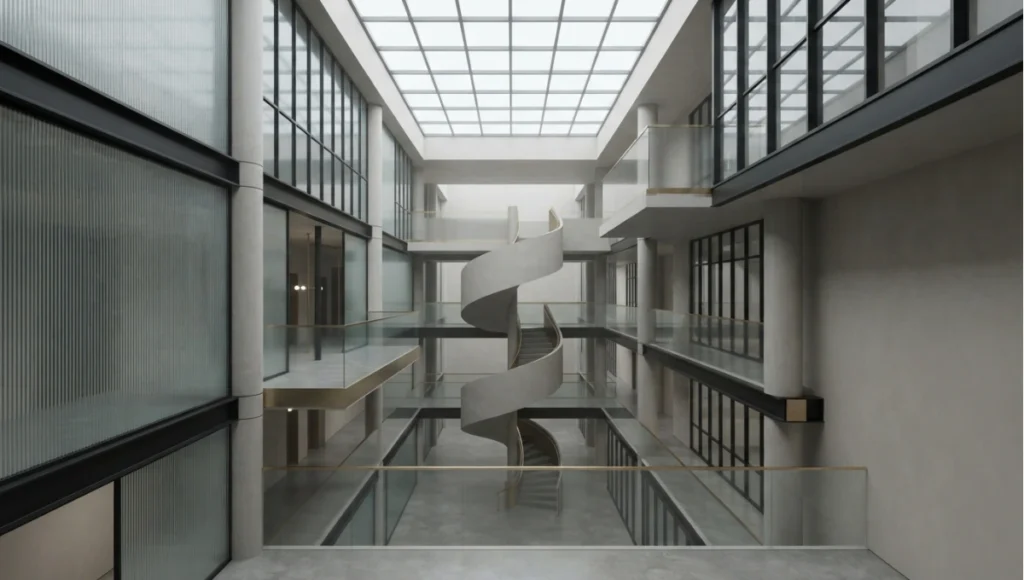
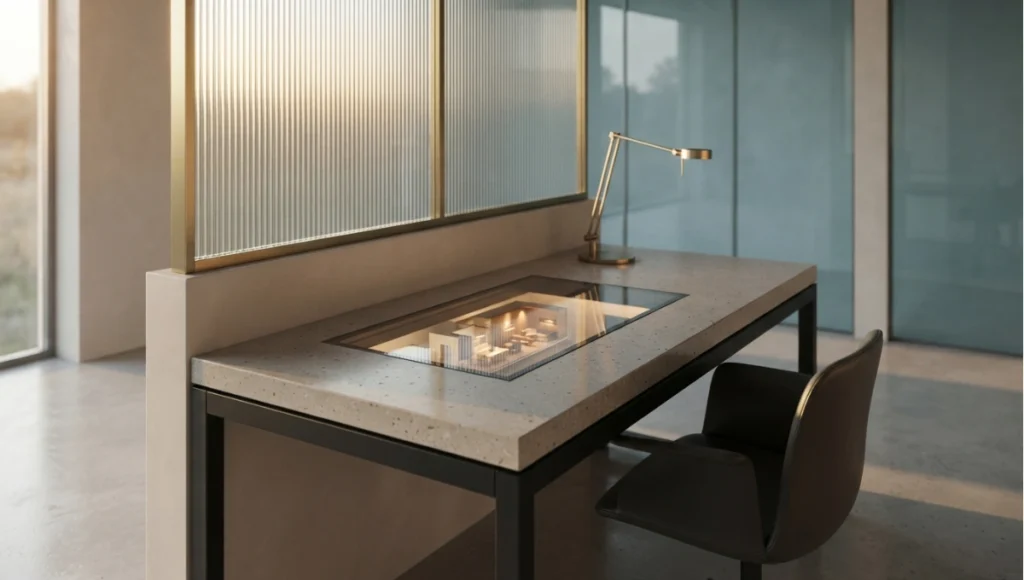
Ravenswood Atrium is a speculative project used here as a test scene rather than as a building proposal: a deep, top-lit internal space with glazing on one side and a solid wall opposite, chosen because it is the configuration that separates the engines most clearly. The study exists to make the engine decision concrete on a real geometry problem — a space where indirect light matters more than any material — and it is deliberately the worst case for an approximation-based workflow rather than a demonstration of a best case. No site, client or completion programme is involved.
Design levers applied
- The scene is the specification: a deep atrium with one glazed side is the geometry that exposes the difference between computed and approximated indirect light, so it is used as the studio’s standard test case for every candidate engine (concept target, not a measured result).
- IES profiles as the default lighting model: measured light distributions rather than generic fixtures, so the evaluation measures the engines rather than the lighting setup (concept target, not a measured result).
- A two-pass render strategy: reduced bounce depth and resolution for design iteration, full settings only on frames that leave the studio, with the switch documented in the engine preset (concept target, not a measured result).
- One engine per deliverable type: interiors from the engine that computes indirect light, exterior concepting from the engine that gives atmosphere fastest, with the split written into the studio standard rather than decided per project (concept target, not a measured result).
- A cleaned proxy scene for iteration: proxy geometry and a stripped asset set used for the design loop, with the full scene reserved for output, so iteration speed is not limited by assets that are not visible (concept target, not a measured result).
- Hardware bought at one tier, not two: a single card at the tier the worst-case scene requires rather than two lesser cards whose memory will not pool (concept target, not a measured result).
- A dated decision record: the engine comparison is logged with versions, driver and date, so the next review starts from evidence rather than from preference (concept target, not a measured result).
Test scene rather than building: a deep top-lit atrium is the geometry that reveals the difference.
Transferable takeaway
Build the test scene before you need it. A studio that keeps one worst-case interior and one large-terrain exterior as its standard evaluation geometry can answer an engine question in an afternoon with numbers it trusts, and can re-run the comparison when a release moves the market. The transferable decision is not which engine to buy but to make the choice from the studio’s own worst case rather than from a demonstration assembled to look its best — and then to write it down, with versions and dates, so the next person does not relitigate it from memory.
2030 and beyond
Three directions, each a projection rather than a forecast, and none of them about image quality.
- The engine becomes part of the model. The most likely shift is not a better renderer but the collapse of the render step: as authoring tools absorb real-time rendering natively, the question stops being which engine to run and starts being which model format the studio can trust. That change favours standards and interoperability over engine loyalty.
- Hardware tiers flatten for most work. The realistic floor for interior path tracing has moved down the card stack every generation, and as that continues the practical question shifts from capability to capacity — how many concurrent jobs a studio can run rather than whether one can run at all. The constraint becomes memory, not compute.
- Verification becomes the differentiator. As generated and real-time imagery becomes easier to produce, the value moves to what can be defended: which model revision an image came from, what was rendered versus assembled, and who approved it. Studios that keep provenance with their imagery will be able to answer that; studios that do not will be reconstructing it from file dates.
Frequently asked questions
This article is part of our architectural visualization guide, the state-of-play synthesis across engines, capture, materials, hardware, and presentation.
Q: Can I use Twinmotion on macOS for professional work in 2026?
**A:**Yes, with caveats — Twinmotion is the most viable of the compared engines on macOS, though Windows remains the production standard. See our full Twinmotion review for the limits.
Q: Does Lumion 2026 support multi-GPU rendering?
**A:**No — Lumion remains single-GPU focused in its 2026 releases, as is Twinmotion. Unreal Engine 5 scales to multi-GPU for path-traced hero frames.
Q: Why does my Lumion scene lag when I turn on ray tracing?
**A:**Ray-traced mode raises per-frame cost sharply; reduce interior bounce depth for previews and reserve full quality for exports — workflow detail in our Twinmotion/Lumion review.
Q: Which engine suits a BIM-driven team?
**A:**Enscape, for its native BIM integration and live iteration; D5 where path-traced realism matters more than model linkage.
Q: Can a Mac-based studio use D5 Render?
**A:**Not for production work today — D5 is Windows-only in practice, which is why Mac studios converge on Twinmotion or Enscape. The practical implication is that platform support should be checked before anything else in the matrix, because it is the one row that disqualifies an engine outright rather than ranking it.
Q: Do I need the fastest card available to render interiors?
**A:**No — you need a card at the tier your worst-case scene requires, and enough memory for that scene. Because engine support for multiple GPUs is limited and memory does not pool across cards without a high-bandwidth interconnect, a single card at the right tier normally outperforms two lesser cards. Establish the tier from the engine’s own published requirements, then buy once at that tier rather than upgrading twice.
Step into the Visual Lab archive
Step into the Visual Lab archive → visual-lab
© Nuvira Space All rights reserved.| VISUAL LAB Series | All tools and specifications cited are based on publicly available data as of 2026. Ravenswood Atrium is a speculative internal concept study and does not represent a completed project.