

Table of Contents
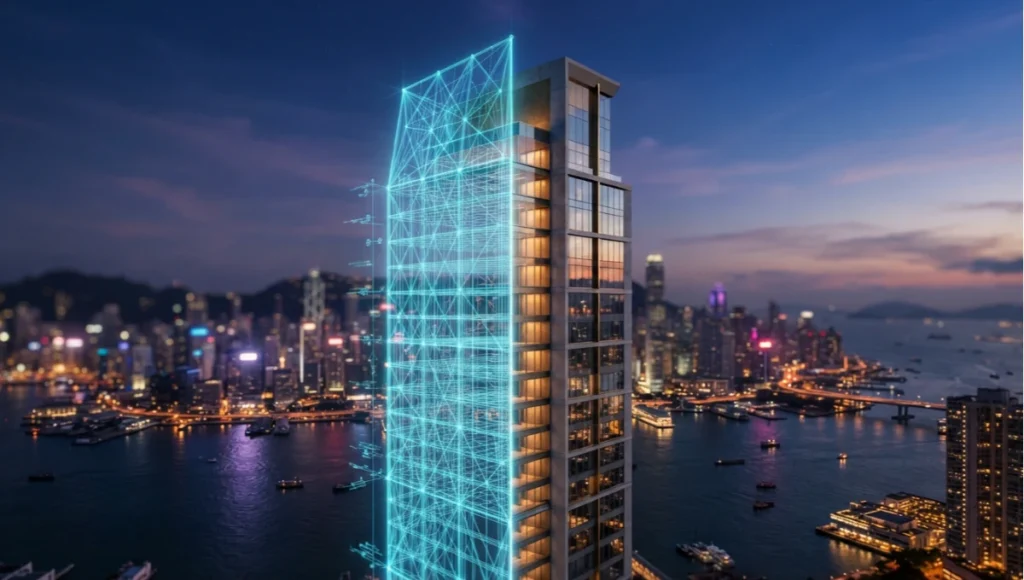
Generative AI in architecture is no longer a rendering gimmick bolted onto the end of a project — it is quietly rewriting the sequence in which buildings get imagined, tested, and approved, and the firms still treating generative diagramming, architecture AI automation, and real-time rendering as separate toolkits are the ones losing weeks to revision cycles that no longer need to exist.
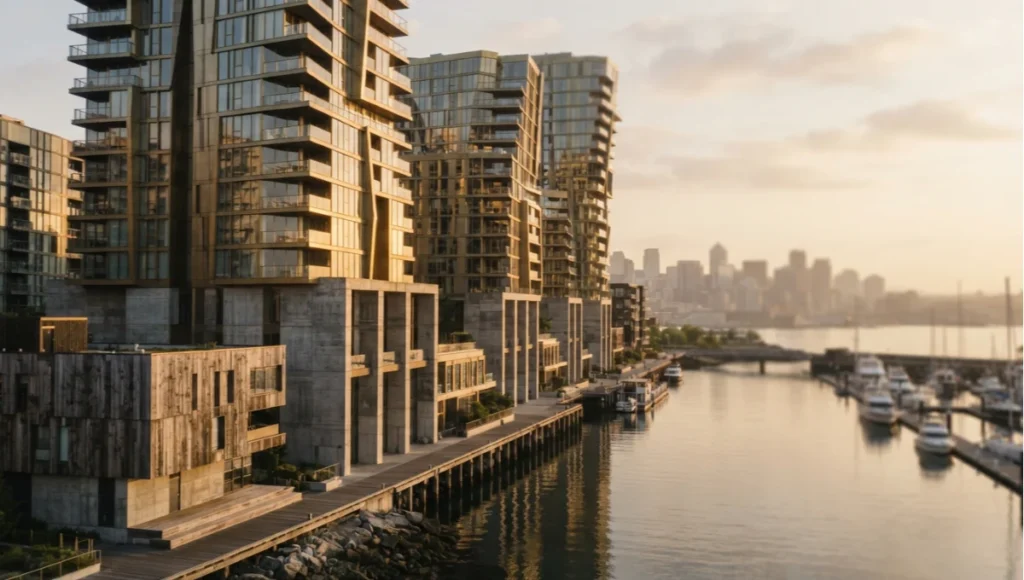
What changes by 2026 isn’t the promise of the technology; it’s the plumbing underneath it — the pipelines, the hardware budgets, and the review habits that decide whether a generative pass actually survives contact with a construction document set. Most studios already own the software. Very few have rebuilt the workflow around it, and that gap is where the next two years of competitive advantage will be won or lost.
Nuvira Perspective
At Nuvira Space, we don’t treat generative tools as a shortcut around design judgment — we treat them as a second nervous system for the studio, one that processes massing options, daylight studies, and material logic at a pace no manual iteration cycle can match. The gap we care about closing isn’t between “AI” and “architect.” It’s between digital intent — the sketch, the parti, the client’s half-formed brief — and architectural reality, meaning the thing that actually gets poured, framed, and occupied.
Real-time engines and high-fidelity simulation are the bridge. A massing study that once took three days to model, light, and render in a batch renderer now runs in a real-time viewport where global illumination recalculates as the massing shifts, and a generative diagramming pass can propose two dozen circulation variants before lunch.
At Nuvira Space, we’ve also learned the hard way that speed without discipline is a liability, not an asset. A studio that generates forty massing options in an afternoon but reviews them the way it reviewed four options a decade ago hasn’t actually gained anything — it has just moved the bottleneck from generation to triage. This mirrors what AIA’s own adoption research has found across the profession: firms are experimenting with AI tools faster than they are rebuilding the review processes those tools require.
The teams getting real value out of generative diagramming and architecture AI automation are the ones who redesigned their review protocol at the same time they adopted the solver, not after. That means building scoring rubrics before the first generative run, not during the client meeting when someone asks why option seventeen was rejected. This is the pro-to-pro conversation the rest of this guide is built around: not “AI made this,” but exactly which settings, passes, and checks made it defensible.
Step-by-Step Workflow & Features
Phase One — Generative Diagramming as a Constraint Engine, Not a Slot Machine
The mistake most studios make when they adopt generative diagramming tools is treating the output as inspiration rather than as a constrained solve. A properly configured generative pass should ingest hard constraints before it ever proposes a single massing option, and the quality of that upstream constraint authoring determines almost everything downstream. Studios that skip this step and let the solver run against loose or default parameters end up with a large population of visually interesting but practically unbuildable options, which then requires just as much manual triage as the workflow it was supposed to replace.
Inputs that must be locked before generation
- Site boundary and easements, imported as closed polylines with verified coordinate system alignment
- Solar path data for the specific latitude, run through a full annual analysis rather than a solstice snapshot
- Structural grid increments, typically 7.2m or 9m spans depending on typology, locked as a hard constraint rather than a suggestion
- Code-driven envelope limits: floor-area ratio, setback, and height overlays pulled directly from the local zoning shapefile
- Program adjacency matrix, weighted so the solver treats some adjacencies as mandatory and others as preferential
- Utility and core placement zones, since a solver blind to elevator and riser locations will generate massing that looks efficient but fails a basic services check
Output filtering
Once the solver returns a population of massing options — typically 40 to 120 viable candidates in a well-tuned run — the workflow moves to filtering, not selection. Filter by daylight autonomy percentage first, structural efficiency second, and circulation depth third. Anything that fails a hard constraint gets discarded before a human ever opens the model. This ordering matters: teams that filter by aesthetic appeal first and performance second consistently end up defending a design decision late in the process that a two-minute daylight check would have ruled out on day one.
Phase Two — Real-Time Engine Handoff
Once a shortlist of five to eight massing variants survives filtering, they move into a real-time engine for lighting and material validation, using the same real-time ray-tracing techniques that have replaced overnight batch renders across the industry. This is where generative diagramming stops being an abstraction and starts behaving like architecture.
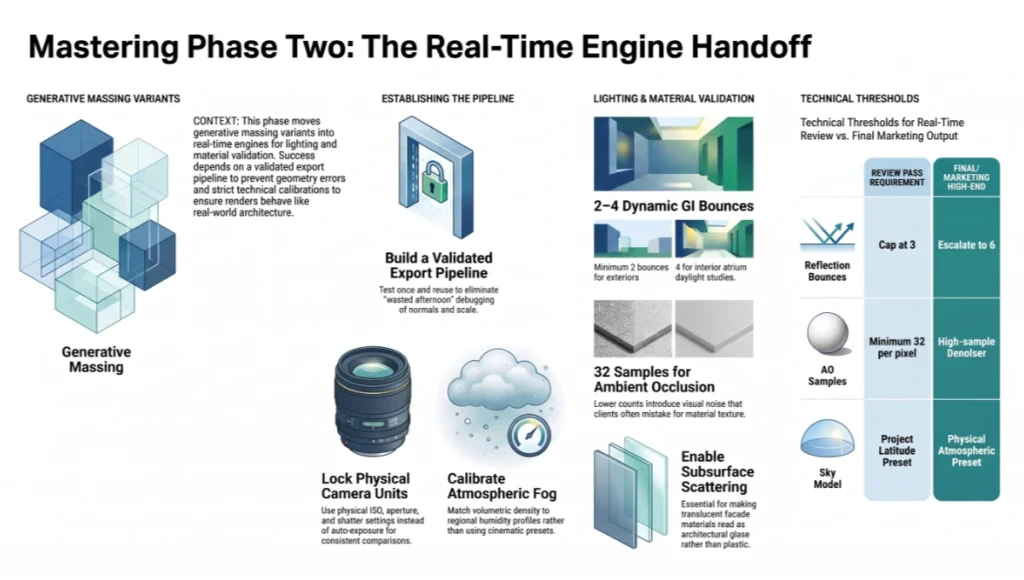
The handoff itself is a common failure point — geometry that solved cleanly in the generative environment often arrives in the real-time engine with broken normals, mismatched scale, or units that silently converted from meters to centimeters. Building a validated export pipeline between the two tools, tested once and reused every project, removes a surprising amount of wasted afternoon debugging import errors instead of reviewing design.
Global illumination settings that matter
- Lumen or equivalent dynamic GI set to a minimum of two bounces for exterior daylight studies, four bounces for interior atrium conditions
- Screen-space reflections disabled during massing review — they introduce false-positive glare readings on glazed surfaces
- Volumetric fog density calibrated to match the actual regional humidity profile, not a default cinematic preset
- Exposure locked to physical camera units (ISO, aperture, shutter) rather than auto-exposure, so daylight comparisons between massing options stay apples-to-apples
- Sky model set to a physically-based atmospheric preset matched to the project’s actual latitude, rather than a generic default that can shift color temperature enough to bias a client’s read on material warmth
Ray-tracing parameters for material validation
- Ray-traced ambient occlusion at a minimum sample count of 32 per pixel for any surface under client review — lower sample counts introduce noise that reads as material texture and misleads the room
- Denoiser strength kept conservative; over-denoising erases the subtle specular breakup that distinguishes brushed metal from painted metal in a walkthrough
- Reflection ray bounces capped at three for real-time review passes, escalated to six only for final marketing stills
- Subsurface scattering enabled for any translucent facade material, since its absence is the most common reason a rendered glazing system reads as flat plastic rather than architectural glass
Phase Three — Post-Production Without Losing the Data Trail
The habit that separates a defensible generative workflow from a decorative one is keeping the data trail intact through post. Every image that leaves the studio should be traceable back to the constraint set that generated it, which matters enormously the first time a client or a code reviewer asks why a particular massing option was chosen over another.
Compositing checklist
- Grade in a linear color space, not directly on the sRGB output, to preserve the dynamic range the GI solver actually calculated
- Keep a “constraint layer” — a simple annotated overlay noting FAR, setback, and solar compliance — archived alongside every hero image, even if it never ships to the client
- Avoid heavy bloom or chromatic aberration on technical review renders; save stylization for marketing collateral only, so the review set stays evidentiary rather than atmospheric
- Version every composite with the constraint-set hash it was generated from, so a six-month-old image can be traced back to the exact solver run that produced it
Phase Four — Version Control and Team Handoff
A step most write-ups on generative workflows skip entirely is version control, and it’s usually the reason a promising pipeline falls apart once more than one person touches it. Generative diagramming runs produce large candidate populations, and without a disciplined naming and archiving convention, a team of three artists will produce three incompatible ideas of which option was “the good one from Tuesday.”
Every generative run should be logged with its constraint-set hash, timestamp, and the reviewer who approved the shortlist, stored in a shared index rather than scattered across individual desktops. This sounds like overhead until the first time a client asks to revisit an option that was quietly discarded three weeks earlier, at which point a searchable archive is the difference between a five-minute retrieval and a half-day reconstruction.
Handoff documentation that should travel with every shortlisted option
- The exact constraint set used, including which constraints were hard-gated versus soft-weighted
- The daylight autonomy, structural efficiency, and circulation depth scores at time of shortlisting
- The GI and ray-tracing settings used for the review render, so a later high-fidelity pass can match conditions exactly
- A one-line rationale for why the option was shortlisted, written by the reviewer, not inferred later from the image alone
Comparative Analysis: Nuvira Vs. Industry Standard
Iteration Speed
Industry-standard batch rendering pipelines typically require 45 minutes to 3 hours per massing iteration at production quality, depending on scene complexity. A generative diagramming pass integrated with a real-time engine, as used in the Nuvira workflow, can return a full daylight-validated massing option in under four minutes, though the constraint-setup phase upfront takes longer than a typical batch-render brief. That upfront cost is easy to underestimate in a pitch but pays back within the first two or three review cycles of any project with more than a handful of massing iterations.
Constraint Fidelity
Many commercial generative tools optimize primarily for floor-area efficiency, treating daylight and structural grid as secondary penalties in the solver rather than hard constraints. The Nuvira approach inverts that priority: structural grid and code envelope are hard-gated before the solver runs a single generation, which reduces the population of “impossible” options that later need to be manually discarded, at the cost of a smaller total number of raw variants per run. In practice this means a Nuvira-configured run might return thirty clean options instead of two hundred noisy ones, which is a better trade for any studio whose bottleneck is review time rather than generation volume.
Review Culture
The industry standard for AI-assisted review is often a single stakeholder scrolling through a gallery of renders and picking a favorite on aesthetic grounds — a pattern documented in AIA’s coverage of AI-assisted design case studies, where firms describe compressing weeks of iteration into days without necessarily changing how a final option gets chosen.
Nuvira’s review structure requires every shortlisted massing option to carry its daylight autonomy percentage, structural efficiency score, and circulation depth reading directly in the review deck, which slows the initial meeting but reduces late-stage revision requests tied to code or performance surprises. Firms that have adopted a scored review deck report that client meetings run longer in the early design phase but shrink considerably during design development, when performance surprises would otherwise surface.
Documentation Overhead
It’s worth being honest that the scored review deck and constraint-diff documentation described above add real hours to a project schedule that a purely aesthetic review process does not require. The trade a studio is making is upfront documentation time against downstream revision time, and that trade only pays off on projects with enough massing iterations and enough stakeholders to make late-stage surprises expensive. A small residential renovation with a single decision-maker may not need the full scored deck; a mixed-use tower with a planning board, a client committee, and a structural engineer almost certainly does.
Case Study Grounding — Rotterdam
Rotterdam’s Kop van Zuid district, with its dense mix of mid-rise residential and mixed-use towers along the Nieuwe Maas, has become an informal proving ground for generative massing studies because of its combination of tight urban grain, strict daylight ordinances, and a harbor-driven wind profile that most generative solvers ignore by default.
Studios running generative diagrams against Rotterdam site conditions have reported that wind-load-aware constraint sets change massing outcomes measurably compared to a generic solve, which is a useful stress test for any workflow claiming macro-environmental accuracy rather than a stylized demo. The district’s mix of low-rise heritage fabric and taller waterfront towers also makes it a good test of whether a generative pass can respect contextual height transitions without being told to do so explicitly, which is a weaker point for most off-the-shelf solvers.
Concept Project Spotlight
Speculative / Internal Concept Study: “Maasgrid” by Nuvira Space
Project Overview (Location / Typology / Vision)
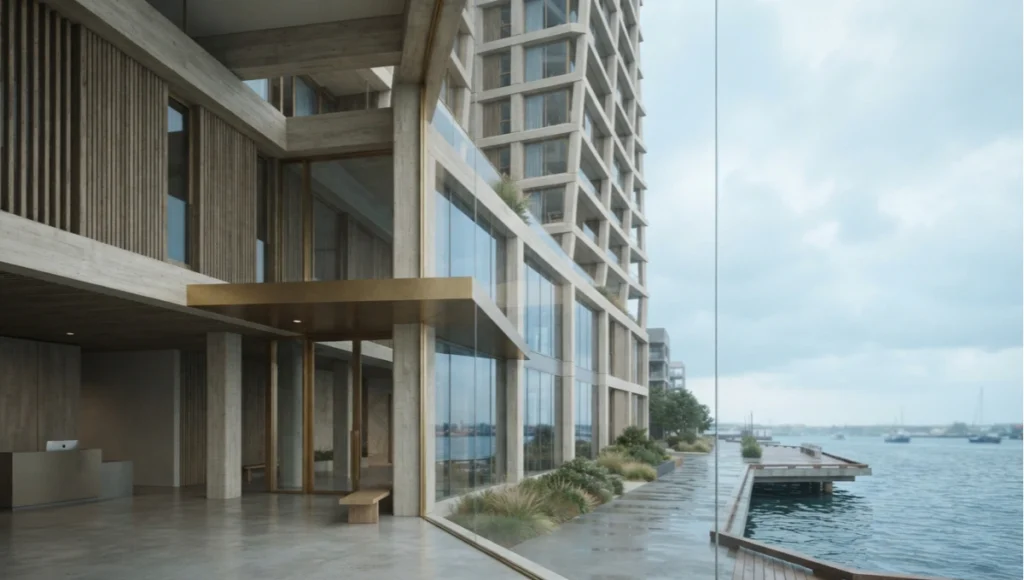
Location: A speculative harbor-adjacent parcel modeled on Rotterdam’s Kop van Zuid conditions.
Typology: Mixed-use mid-rise, residential over ground-floor commercial, roughly 18,000 square meters of speculative floor area.
Vision: Maasgrid is an internal study exploring whether a generative diagramming pass constrained by wind-load data and tidal flood overlays produces meaningfully different massing logic than a standard daylight-and-FAR solve. It is not a client commission and carries no construction intent. The study exists purely to pressure-test the constraint-authoring methodology described earlier in this guide against a genuinely difficult site condition.
Design Levers Applied
- Wind-load overlay imported from a regional meteorological dataset and treated as a hard constraint on tower orientation
- Tidal flood elevation data used to set a hard minimum ground-floor datum, rather than a code-minimum assumption
- Generative diagramming run twice — once with wind data included, once without — to isolate its effect on the resulting massing population
- Real-time GI validation performed at three seasonal daylight extremes rather than a single solstice check, given the latitude’s shallow winter sun angle
What the comparison run showed
The wind-constrained generation produced narrower, more articulated tower profiles with roughly 12 percent less exposed facade area on the harbor-facing elevation compared to the unconstrained run, at a modest cost to total floor-plate efficiency. The unconstrained run’s top-scoring option by floor-area efficiency alone would have placed the tallest volume directly in the harbor’s prevailing wind corridor, a decision the wind-aware run avoided without being told explicitly to avoid it.
Transferable Takeaway
The lesson Maasgrid offers beyond Rotterdam is procedural, not geographic: any generative diagramming workflow that treats environmental load data as a post-hoc check rather than an upstream constraint will systematically under-report the real performance gap between design options. Studios working in any dense, water-adjacent, or wind-exposed context should budget for the extra constraint-authoring time this requires, and should treat a “clean-looking” massing option with suspicion if it was generated without that data present in the solve.
Intellectual Honesty: Hardware Check
No generative diagramming and real-time GI workflow described above runs acceptably on a laptop-class GPU. A realistic minimum for a single-artist real-time review station is a 24GB-VRAM workstation GPU — see our current GPU benchmarks for rendering workloads for specific model comparisons — paired with at least 64GB of system RAM to hold the generative solver’s candidate population in memory alongside the real-time engine’s asset cache.
Studios running a shared render farm for the ray-traced final passes should budget for network-attached storage with sustained throughput above 1GB/s, since a single massing review session can generate several hundred gigabytes of cached lighting data per iteration cycle. None of this is optional infrastructure for the workflow described here — a studio without it should expect the four-minute iteration figure cited above to stretch toward the batch-rendering baseline it was meant to replace. It’s worth being blunt about this because vendor demos rarely show the machine behind the workflow, and studios that budget only for software licenses and skip the hardware conversation are the ones most likely to abandon a generative pipeline after a frustrating first month.
2030 Future Projection
By 2030, the constraint-authoring step that currently takes a studio a full day per project — assembling zoning shapefiles, solar data, and structural grids into a solver-readable format — is likely to be substantially automated by municipal data APIs that expose zoning and easement data in solver-native formats directly. That shift will move the bottleneck away from data preparation and toward review bandwidth: the limiting factor will be how many massing options a human review team can meaningfully interrogate per day, not how many a solver can generate.
Real-time engines are also likely to fold ray-traced global illumination and generative diagramming into a single pass rather than a two-stage handoff, which will compress the workflow described above from three phases into two. The studios that adapt earliest to a review-bandwidth-constrained world, rather than a generation-constrained one, are likely to hold a meaningful advantage over competitors still optimizing for how many options they can produce rather than how well they can judge them.
Secret Techniques: Advanced User Guide
- Run the generative solver’s constraint set through a deliberate “stress test” pass with one constraint intentionally loosened, to quantify exactly how much performance that constraint is costing the design — this reveals which code or client requirements are genuinely load-bearing versus merely conservative
- Archive the full candidate population from every generative run, not just the shortlisted options, since a rejected massing option often becomes the starting point for a follow-on project with slightly different constraints
- Use a fixed camera rig with locked focal length across all massing comparisons in a review deck; varying the lens between options is the single most common cause of a client misjudging relative building scale
- Separate the GI bounce count used for review renders from the bounce count used for final marketing stills, and label both clearly in the file name, so a lower-fidelity review frame never accidentally ships as a final deliverable
- Build a “constraint diff” habit into every project handoff meeting: when a new team member joins mid-project, walk them through which constraints were hard-gated versus soft-weighted before they touch the solver, since an inherited assumption about which constraints are flexible is a common source of late-stage rework
Comprehensive Technical FAQ
Generative Diagramming Fundamentals
Starting with the image tools themselves? See generative AI in architecture: Midjourney and Stable Diffusion workflows — latent-space ideation, conditioned geometry, and prompt craft.
Q: How many massing options should a generative diagramming pass realistically return per run?
A: A well-tuned constraint set typically returns 40 to 120 viable candidates before filtering. Runs returning fewer than 20 usually indicate an over-constrained problem; runs returning several hundred usually indicate the solver is not hard-gating on structural or code constraints.
Q: Can generative diagramming replace early schematic design work entirely?
A: No. It compresses the exploration phase but still requires a human-authored constraint set, and every shortlisted option still needs manual validation against constraints the solver was not given, such as client-specific programmatic preferences.
Q: How long should constraint authoring take for a typical mid-rise project?
A: Budget a full working day for the first project on a new site, dropping to a few hours on subsequent projects once a studio has a reusable constraint template for that jurisdiction.
Real-Time Engine and Rendering
Q: What GI bounce count is appropriate for exterior daylight studies versus interior atrium spaces?
A: A minimum of two bounces for exterior conditions and four bounces for interior atrium spaces, given the additional light transport complexity of enclosed volumes.
- Two bounces: exterior massing and facade studies
- Four bounces: interior atrium and courtyard conditions
- Six-plus bounces: final marketing stills only, not review passes
Q: Why disable screen-space reflections during massing review?
A: They introduce false-positive glare readings on glazed surfaces that do not correspond to the ray-traced result, misleading daylight comparisons between massing options.
Q: How should a studio handle the geometry handoff between the generative tool and the real-time engine?
A: Build and test a validated export pipeline once, check units and normals explicitly, and reuse that pipeline for every project rather than re-exporting ad hoc each time.
Hardware and Infrastructure
Q: What is the realistic minimum GPU for this workflow?
A: A 24GB-VRAM workstation-class GPU for single-artist review work, scaling to a shared render farm for final ray-traced passes.
Q: How much storage should a studio budget per project?
A: Several hundred gigabytes of cached lighting data per iteration cycle is common; sustained network storage throughput above 1GB/s is recommended for shared review sessions.
Q: Does this workflow require a dedicated render farm, or can a single workstation handle it end to end?
A: A single 24GB-VRAM workstation can handle the full generative-diagramming-to-real-time-review loop for a single artist. A shared render farm becomes necessary only at the final ray-traced marketing-still stage, where bounce counts and sample rates increase well beyond what a review pass requires.
Team and Process
Q: How should a studio train a new hire on this workflow without slowing down an active project?
A: Pair them with a completed constraint-diff walkthrough from a recent project before letting them author a constraint set independently, and have their first few shortlists co-reviewed rather than approved solo.
Q: What is the most common reason a generative diagramming pipeline gets abandoned after a trial period?
A: Underestimating the hardware and constraint-authoring time investment upfront, then judging the workflow against the four-minute iteration figure without having done the setup work that figure assumes.
Start Your Generative Diagramming Workflow Audit
If your studio is still treating generative diagramming, real-time rendering, and post-production as three disconnected toolchains, the fastest fix is not a new plugin — it’s a constraint-authoring audit of the workflow you already have. Map which constraints currently get checked upstream in the solver versus downstream by a human, and you will usually find the gap that is costing you the most revision cycles.
Bring a single recent project’s constraint set to that audit and walk it against the phases outlined above — most studios find at least one hard constraint that was being checked manually, three phases too late, and could have been gated at the very first generative pass instead. That single fix alone is often enough to justify the hardware and setup investment described in this guide. Compare now.
© Nuvira Space — All rights reserved. | THE VISUAL LAB Series | All specifications cited are based on internal Nuvira Space testing and referenced public datasets (no external links). The "Maasgrid" project is a speculative internal concept study and does not represent a completed project.
This article is part of our smart building technology guide, the state-of-play synthesis across generative AI, robotics, and sensing layers.
2 thoughts on “Generative AI in Architecture: What’s Next by 2026?”