

Table of Contents
Brief-to-building used to be a relay between fixed stations: sketch, model, document, build. Generative systems collapse the early stations and pressurize the late ones. You can produce a month of concept imagery before lunch and inherit every unverified pixel into documentation by dinner. The firms gaining from AI are not the ones with the most tools. They are the ones with a phase-gated process that decides, for every project stage, what the model may propose, who verifies it, and what counts as the record.
This guide specifies that process. It assumes you already know what generative AI is. If not, start with our generative AI in architecture definition, which separates generative AI from generative design and automation. Tool operation lives elsewhere: hands-on image and 3D workflows in our tool workflows guide, and diagramming automation in our automation workflows guide. What follows is the layer between: the workflow itself.
Nuvira Perspective
At Nuvira Space, we treat workflow as the durable asset and tooling as the consumable one. Model versions expire in months; project phases persist for decades. A studio that organizes itself around named tools must reorganize with every release cycle, while a studio organized around phases, handoffs, and verification owners absorbs any new capability without restructuring. The operating rule is simple and non-negotiable: models propose, authoritative systems document, and named humans sign off before anything moves downstream. Everything in this guide — the phase-gate matrix, the handoff protocol, the failure tables — exists to enforce that rule at each stage of a building project, from first brief to occupied use. The guide defines terms once and then points you outward: our definition page settles what generative AI is, our tool workflows teach operation, our automation guide details the diagramming pipeline. What remains here is deliberately tool-agnostic — permissions per phase, gates between phases, and owners for every signature — so the process survives whatever vendors ship next.
Technical deep dive: the phase-gate framework
Map capabilities to phases, not tools to tasks
Tool-first adoption fails for a structural reason: capabilities expire with version releases while phases persist. Organize around the RIBA Plan of Work 2020 stages — 0 Strategic Definition, 1 Preparation and Briefing, 2 Concept Design, 3 Spatial Coordination, 4 Technical Design, 5 Manufacturing and Construction, 6 Handover, 7 Use — and each new model release slots into an existing gate instead of triggering a reorganization. The question is never which tool your studio uses. It is what each phase permits the model to do.
At brief stages (0–1), AI earns its place doing precedent synthesis, constraint capture, and site analysis that a principal can read in one sitting. The output feeds the brief document; it never skips it. At concept (2), generativity runs highest and contractual weight stays at zero: massing studies, moodboards, and client optioneering that explore broadly because nothing produced here binds anyone. At spatial coordination (3), the model works inside authored limits against the coordinated model, testing options rather than inventing scope. At technical design (4), AI assists drafting, schedules, and annotation — and every line is verified against the model before it becomes record. During construction (5), it compares submittals, supports RFI drafting, and checks progress states against model revisions. At handover and use (6–7), it drafts operation content and structures asset data that a digital twin can actually consume.
The phase-gate matrix
Read this table as the contract your studio makes with itself. No AI output crosses a phase boundary unless its row gate is satisfied.
| Phase (RIBA) | What AI may contribute | Record system | Verified by | Exit criterion |
|---|---|---|---|---|
| 0–1 Brief | Precedent synthesis, constraint capture, site analysis | Brief document | Project lead | Principal approves written brief |
| 2 Concept | Massing studies, moodboards, client optioneering | Concept report + decision log | Project lead | Client selects direction; scope of approval recorded |
| 3 Spatial coordination | Constrained option testing against coordinated model | Coordinated model | BIM coordinator | Model coordination accepted; clashes cleared |
| 4 Technical design | Drafting assistance, schedules, annotation | Contract documents (BIM) | Technical lead | Every AI-touched element checked against model |
| 5 Construction | Submittal comparison, RFI drafting support, progress checks | Site records; documents unchanged by AI | Project architect | Responses issued under named professional sign-off |
| 6–7 Handover + Use | Operation content drafts, structured asset data | O&M package; twin data schema | Project lead | Operator accepts data against schema, not screenshots |
The handoff protocol: propose, verify, record, lock
Four verbs govern every movement of AI-generated content in your practice. Skip one and the failure tables below tell you what it costs.
- Propose. The model generates candidates inside the current phase permission. Nothing proposed carries authorship or authority; it is raw material with a prompt attached.
- Verify. The named reviewer for the phase checks the candidate against the record system: geometry against the model, visuals against scope, text against source requirements. Verification is a signed act, not a glance.
- Record. The verified item enters the authoritative system — the brief, the coordinated model, the contract documents — with its provenance noted: what was generated, what was changed, who approved it.
- Lock. The recorded item is versioned and frozen for downstream use. Later phases build on the locked record, never on the original generation. Regeneration restarts the protocol from propose.
What a reviewer actually checks
“The reviewer verifies the output” is the sentence that lets failures through, because it describes an intention rather than a task. A verification pass is a short, specific list, and it differs by what was generated.
- Generated geometry: dimensions against the coordinated model, alignment to grid and levels, and whether the element can be built as drawn — measured, not eyeballed.
- Generated text and specifications: every citation, standard reference and product claim checked against a source, because a language model produces confident prose whether or not the underlying document exists.
- Generated imagery: whether the visual promises something the design cannot deliver. This is a scope question rather than an accuracy question, and it is the check studios skip because the image is persuasive.
- Generated data and schedules: whether the quantities reconcile with the model they claim to describe. A schedule that does not tie back to the model is a document with no parent.
- Anything reused from a previous project: whether its constraints still hold. Reused templates carry yesterday’s assumptions into today’s brief, and that failure has no visible signature.
- Anything produced by an unattended process: who owns it. A result with no author is a result with no reviewer, which is a failure state rather than a completeness gap.
Failure containment: what leaks and what it costs
Each row below is a failure mode observed across studio practice and vendor case literature. The containment column is the cheapest point of intervention we know for each.
| Leak | Downstream cost | Containment |
|---|---|---|
| Unverified geometry enters documentation | Errors propagate across the drawing set; rework multiplies with each sheet issued | Model-compare gate before any generated element joins BIM; quarantine workset for unverified content |
| Unreviewed visuals lock client expectations | Clients approve imagery the design cannot deliver; scope conflict at contract stage | Label all concept visuals non-contractual; decision log records the approved scope, not the render |
| Prompts and models leak client data | Proprietary or personal project data reaches public training sets or third parties | Approved-tool list with contractual training-data terms; private deployment for sensitive projects |
| Templates drift off brand and off code | Inconsistent deliverables; constraint violations slip into options | Versioned template library with named ownership and scheduled spot audits |
| Automation runs without an owner | Errors arrive with no author and no reviewer; accountability evaporates | Named sign-off per phase from the roles matrix below; no owner, no run |
Who owns what: the verification matrix
Accountability fails when everyone reviews and nobody signs. Assign these four roles per phase before the project starts, and change them only in writing.
| Phase | Prompt owner | Reviewer | Sign-off authority | Record |
|---|---|---|---|---|
| Brief | Project lead | Associate | Principal | Written brief |
| Concept | Designer | Project lead | Principal | Concept report + decision log |
| Spatial coordination | BIM coordinator | Project architect | Associate | Coordinated model |
| Technical design | Job captain | Technical lead | Project architect | Contract documents |
| Construction | Contract administrator | Project architect | Principal | Site records |
| Handover + Use | Project lead | Operator liaison | Principal | O&M package |
Comparative analysis: ad-hoc AI use versus a phase-gated workflow
The comparison below is between two ways of adopting the same capabilities. Both columns describe studios using the same models; they differ in whether the studio or the tool owns the sequence.
| Capability | Traditional Workflow | Future Tech Stack | Delta |
|---|---|---|---|
| Adoption trigger | Adopted informally by individuals as tools appear | Received at a phase gate with a permission and a named reviewer | Direction: adoption becomes a decision rather than a discovery |
| Iteration speed | Options produced at the pace of modelling and rendering | Options produced in batches, immediately | Direction: the bottleneck moves from production to selection and review |
| Where authority sits | With the last person to touch the file | With the record system, and with the signature that released it | Direction: authorship becomes explicit rather than implied |
| Verification | Reviewed when someone notices, at deliverable stage | Reviewed per phase by a named role, against the record system | Direction: verification moves from the end of the project to each boundary |
| Cost base | Modelling and drawing hours | Tooling and training, plus verification labour as a line item | Direction: spend shifts from production to oversight, and must be budgeted as such |
| Failure signature | Errors surface late, attached to a person | Errors surface at the gate, attached to a phase | Direction: failures get cheaper to find and easier to attribute |
| Effect of a new model release | Studio reorganizes around the new tool | New capability slots into an existing gate | Direction: disruption moves from the practice to the pipeline |
Neither column is about enthusiasm. The difference is whether the studio’s process can survive a tool becoming obsolete, which it will.
How a studio adopts this without betting the practice
Do not roll a new workflow across live deliverables. Run it the way process changes survive contact with deadlines: narrow, measured, then codified.
- Pilot on a bounded, non-deliverable scope. A concept sprint or an internal competition entry works: visible output, real deadlines, zero contractual exposure. Measure what matters to you — iteration throughput, review-cycle time, rework hours — against your own baseline, not a vendor case study.
- Template what survives. Prompts, constraint sets, camera and documentation presets, and branch strategies that proved themselves in the pilot become versioned library entries with named owners. Everything else is discarded, however clever it looked.
- Govern before you scale. An approved-tool list, AI-use language in client agreements covering disclosure and data training terms, mandatory training on verification judgment, and the sign-off matrix above. Firms that skip this step scale their errors along with their speed.
Absorbing a new model release without reorganizing
The test of this workflow is not how it performs today but what happens when the next model generation arrives. Run the release through the same sequence every time.
- Classify it by phase permission, not by feature list. Ask which phases it is permitted to contribute to under the existing matrix, and whether it changes a permission or only improves a capability.
- Test it against your own deliverables, not vendor demonstration scenes, on the project types you actually build.
- Check whether it moves a gate. A tool that produces record-quality geometry changes what the verification pass has to check, which is a process decision rather than a tooling one.
- Date-stamp the decision. Record the version, the date, and who approved its use, so a pipeline audited two model generations later can be explained rather than guessed at.
- Retire the previous capability explicitly. Superseded tools that remain available in the studio are the most common route by which two parallel processes appear inside one project.
A practice that runs those five steps absorbs a release in weeks. A practice that chases tools starts over.
Intellectual honesty: what this workflow cannot do
No process removes the properties of the models it governs. Generative outputs still hallucinate details, physical tolerances, and regulatory facts — a peer-reviewed review of generative AI in architecture flags exactly this gap between generative promise and production-ready professional workflows (re-verify the specific publication and year at implementation). Professional verification is therefore structural, not optional, and professional liability never transfers to a model or a vendor: every deliverable carries a human signature. Version decay is the second constraint.
Tool specifics rot within months, which is why this guide specifies permissions, gates, and owners rather than button sequences. Data exposure is the third: any prompt or model sent to a service without contractual training-data terms should be treated as published. Fourth, ungoverned generation homogenizes outcomes toward the patterns most common in training data; templates and constraints exist to hold authorial intent against that pull. Fifth, this workflow governs content, not judgement: a gate can require a check, but it cannot supply the experience to perform one, and a studio with thin technical depth will pass more errors through a well-designed gate than a studio with experience will pass through a loose one. Finally, access is uneven — smaller studios face real compute, licensing, and training budgets — so the pilot-first path above is scaled to what a practice can actually staff, not to an enterprise ideal.
The toolset: five roles, not five logos
Buy capabilities by the role they play in the matrices above. Names below are long-standing documented systems described only by workflow role; versions, pricing, and performance claims change too fast to print. Hands-on operation for image systems lives in our tool workflows guide.
| Tool role | What it does | Who it is for | Cost tier | 2026 maturity | 2030+ trajectory |
|---|---|---|---|---|---|
| Image diffusion systems (Midjourney; Stable Diffusion with ControlNet) | Concept optioneering and moodboards | Concept teams, competition work | Subscription, or open model plus hardware | Mature and widely used; weak dimensional control | Conditioning becomes the default expectation rather than a separate step |
| AI rendering plug-ins (Enscape and peers) | Presentation visuals from authored geometry | Visualisers, project teams | Subscription, per-seat | Mature; the geometry stays authoritative | Pushes toward real-time output inside the authoring environment |
| BIM authoring platforms (Revit, ArchiCAD) | The record systems of technical stages; AI assists inside them | Coordinators, technical leads | Subscription, per-seat | Mature; AI assistance growing but not record-authoritative | Assistants gain project grounding while the record stays human-signed |
| Language-model drafting assistants | Specification language, RFI drafts, meeting synthesis | Job captains, documentation leads | Subscription, per-seat | Mature for text, unreliable on project specifics | Moves toward project-grounded drafting with stricter review gates |
| Constraint engines and parametric frameworks | Optimization within authored limits — the complement to diffusion | Computational designers | Bundled with authoring licence, or free tooling plus build time | Established, specialist skills required | The bridge between exploration and buildable outcomes, and where the two converge |
The “forbidden where record matters” rule attaches to the first row permanently: a diffusion image is never a record system, whatever it looks like. Also compare the broader field in our design tools roundup.
Speculative / Internal Concept Study — Gatelock House — by Nuvira Space
Everything in this section is a speculative internal concept study. It is not a built project, it has no client, and every quantity below is a modelled concept target used to make the reasoning concrete — never a measured result.
Project overview
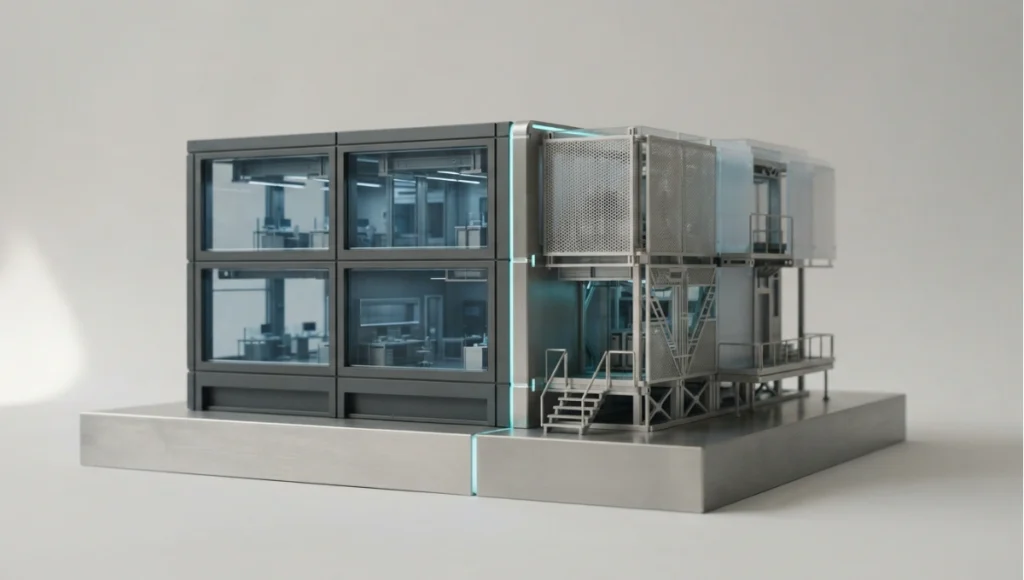
Gatelock House is a speculative mid-size residential project used here to test the workflow above at the scale where studios actually feel it: a project large enough to need real phase discipline, small enough that one team carries every role. The concept runs the whole sequence — brief, concept, coordination, technical design, construction support, handover — under the phase-gate matrix, with a named reviewer at each boundary and a decision log recording what the model proposed and what was approved. No site is secured and no client is involved; completion horizon is 2030+.

Design levers applied
- Permissions set before the pilot begins: at the outset the team writes down which phases permit generative exploration, which permit assisted drafting, and which permit nothing generated at all (concept target, not a measured result).
- One named reviewer per gate: each phase boundary has a named reviewer drawn from the matrix above, so no output crosses a boundary on the strength of being finished (concept target, not a measured result).
- Provenance recorded with every accepted item: what was generated, what a human changed, and who approved it, held with the project record rather than in an individual’s history (concept target, not a measured result).
- A quarantine workset in the model: unverified generated elements live in a separate workset and cannot be referenced by the drawing set until they pass the model-compare gate (concept target, not a measured result).
- Concept visuals labelled non-contractual: client-facing imagery carries the label, and the approved scope is recorded in the decision log rather than inferred from the render (concept target, not a measured result).
- Templates versioned with named owners: the prompts, presets and constraint sets that survived the pilot become library entries with an owner and an audit date (concept target, not a measured result).
- Verification budgeted as labour: the review time is scheduled as a project cost line at each gate, so the gate has hours attached rather than goodwill (concept target, not a measured result).
Transferable takeaway
Take the ordering, not the paperwork. Write permissions before you start, name one reviewer per boundary, record provenance as you accept anything, quarantine unverified content so it cannot be referenced, label client-facing imagery, version the templates that proved themselves, and budget the review hours. Any studio can run that on the next project without buying anything — and the tools can then change as often as they like.
Where this goes by 2030 and beyond
The direction of travel is constraint-aware generation: models that understand regulatory envelopes, structural logic, and budget limits proposing compliant iterations rather than pretty ones, with audit trails native to the canvas rather than bolted on afterward. Studios should therefore invest in the durable half of this guide — gate discipline, template libraries, verification judgment — and rent the disposable half. When the next model generation arrives, a phase-gated practice absorbs it in weeks. A tool-chasing practice starts over.

Nuvira Space · Future Tech
Phase-gate permission planner
Permissions belong to phases, not to tools. Choose the RIBA stage and what is being generated, and the planner returns what that phase permits, which system holds the record, who verifies it, and the exit criterion that has to be met before the work crosses the boundary.
Planner result
0–1 Brief — precedent synthesis
0 of 6 gate elements in place.
At brief stages, AI earns its place doing precedent synthesis, constraint capture and site analysis that a principal can read in one sitting. The output feeds the brief document; it never skips it. Record system: Brief document. Verified by: Project lead. Exit criterion: Principal approves the written brief.
The reviewer checks: whether the visual promises something the design cannot deliver. This is a scope question rather than an accuracy question, and it is the check studios skip because the image is persuasive.
Watch for: a synthesis presented as the brief rather than as an input to it — the brief is the record, and it is written by a person. (Gate gaps: phase permissions written first; named reviewer at the gate; provenance recorded; quarantine location defined; non-contractual labels on visuals; verification hours budgeted.)
Orientation aid only. This planner maps a phase and an output type to the permission, record system and verification that govern them; it does not replace your practice’s own quality system or professional sign-off. Specifications cited are based on publicly available data as of 2026. © Nuvira Space. All rights reserved. | FUTURE TECH Series.
Frequently asked questions
This article is part of our smart building technology guide, the state-of-play synthesis across generative AI, robotics, and sensing layers.
Q: Where should a firm run its first AI pilot?
**A:**On a bounded, non-deliverable scope such as a concept sprint or internal competition entry: visible output, real deadlines, zero contractual exposure. Measure iteration throughput, review-cycle time, and rework hours against your own baseline.
Q: Who signs off AI-assisted work at each phase?
**A:**The sign-off authority in the verification matrix above: principal at brief, concept, construction, and handover; associate at spatial coordination; project architect at technical design and construction review. No owner, no run.
Q: Can AI-generated content enter contract documents?
**A:**Only through the full handoff protocol: proposed inside phase permission, verified against the model, recorded in BIM with provenance, then locked. The model proposes and BIM documents; unrecorded generations never bind anyone.
Q: How do we stop concept visuals locking client expectations?
**A:**Label every concept visual non-contractual and record the approved scope — not the render — in the decision log. Clients should approve directions and constraints; imagery illustrates, never commits.
Q: What belongs in an AI-use clause with clients?
**A:**Disclosure of which tools touch the project, ownership of generated outputs, and training-data terms for client assets. Keep the language generic in your template and have counsel review it for your jurisdiction before first use.
Q: How do we keep prompt templates from drifting?
**A:**Version the template library with named owners and scheduled spot audits, the same way you control detail libraries. Templates that fail audit return to pilot status until re-verified.
Q: What is the smallest version of this workflow a two-person practice can run?
**A:**Four things, none of which need software: a written list of what generation is permitted in each phase, a named reviewer per boundary — which may be the same person at different stages, but named rather than implied — a project record of what was generated and who approved it, and a quarantine location so unverified content cannot be referenced. The matrices above are the full version; the principle scales down to those four.
Q: How does this workflow interact with a client’s own AI policy?
**A:**Early and in writing. Where a client mandates or forbids particular tools, that constraint becomes part of the phase permissions rather than an exception handled per task, and the approved-tool list should record it. Two policies running in parallel — the studio’s and the client’s — is how teams end up with two processes on one project.
Q: What happens if a gate is failed under deadline pressure?
**A:**The gate records the failure rather than absorbing it: the item stays quarantined, the phase does not close, and if the work must proceed, the exception is documented with the name of whoever accepted the risk. A gate that can be quietly bypassed under pressure is not a gate, and the audit trail — not the intention — is what protects the practice later.
AI workflow directory
Define terms in our generative AI definition guide; operate image and 3D tools in our tool workflows guide; build diagramming pipelines in our automation workflows guide. Related production depth: rendering plug-ins and our design tools roundup.
Step into the Future Tech archive
Step into the Future Tech archive → future-tech
© Nuvira Space All rights reserved.| FUTURE TECH Series | All tools and specifications cited are based on publicly available data as of 2026. Gatelock House is a speculative internal concept study and does not represent a completed project.