

Table of Contents
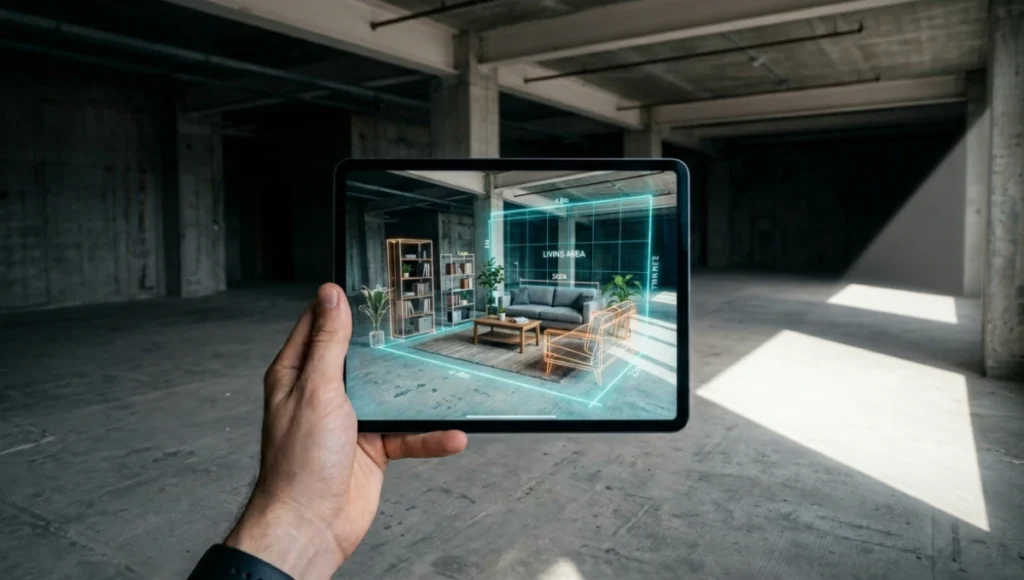
The 2D floor plan is not dying — it is already dead. In 2026, the studios that are winning contracts, compressing approval cycles, and eliminating costly change orders are the ones deploying AR tools interior design workflows as a primary client communication layer, not a finishing-touch demo.
Nuvira Perspective
At Nuvira Space, we do not treat augmented reality as a visualization gimmick layered on top of an existing workflow. We treat it as a reconfiguration of the entire human-machine synthesis that defines how a space is conceived, communicated, and commissioned. The firms still handing clients a printed floor plan with a SketchUp rendering attached are operating on a 2009 production pipeline. The studios that have fully integrated AR tools into their interior design process are operating on a fundamentally different economic model — one where iteration costs approach zero, client approval cycles compress by up to 40%, and spatial ambiguity is eliminated before a single material is ordered.
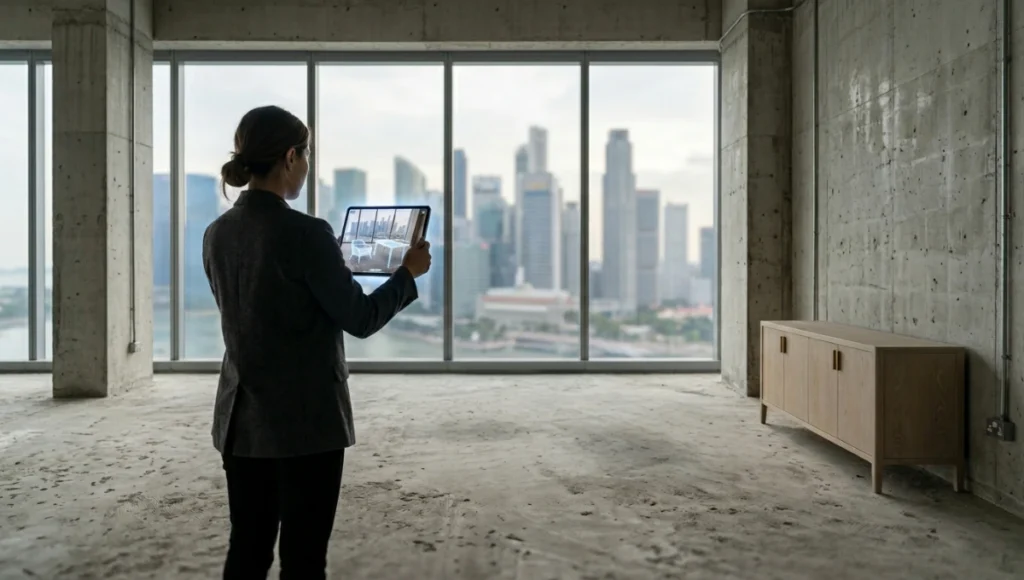
This article is not about which app has the most intuitive UI. It is about what happens to the physics of a design practice when you embed AR tools into every phase of the interior design process — from site survey to final client sign-off. We will break down 9 tested, production-ready tools, run a comparative analysis against the legacy workflow, and project what the market looks like when spatial computing becomes the default medium for the industry.
Technical Deep Dive: What AR Actually Does to the Design Pipeline
Before evaluating specific tools, you need to understand exactly which technical mechanisms create value — and which create overhead. AR in interior design is not 1 technology. It is a stack of at least 4 distinct hardware and software layers operating in parallel.
The 4-Layer AR Stack for Interior Design
Layer 1: Spatial Mapping
Modern AR tools rely on simultaneous localization and mapping (SLAM) algorithms. On devices equipped with LiDAR sensors — Apple iPad Pro (4th generation onward) and iPhone 15 Pro — spatial mapping accuracy reaches ±2mm per meter under controlled lighting. On non-LiDAR Android devices using ARCore, accuracy degrades to approximately ±8mm per meter. This 4x difference in spatial precision is not cosmetic. In a 4.5m x 6m room, a ±2mm/m sensor produces a maximum cumulative error of 9mm across the full diagonal. A ±8mm/m sensor produces up to 36mm of cumulative drift — enough to misrepresent furniture fit along a wall by a full sofa leg width.
- LiDAR-equipped devices: ±2mm/m accuracy
- ARCore on mid-range Android: ±8mm/m accuracy
- Mesh resolution on iPad Pro LiDAR: approximately 1 point per 2cm2
- Recommended minimum: 120lux ambient light for stable plane detection
Layer 2: 3D Asset Rendering Engine
The rendering fidelity of the overlaid objects determines whether clients make decisions based on the AR view or dismiss it as “not realistic enough.” Production-grade AR tools use physically based rendering (PBR) with metallic-roughness workflows. The key spec to evaluate is polygon count per asset and its relationship to frame rate. At 30fps, you can sustain approximately 80,000 polygons per visible object on an iPhone 15 Pro. Drop to 25fps and decision-making fluency begins to degrade — users report the experience as “laggy” and stop trusting spatial placement accuracy even when the geometry is correct.
- Target polygon budget per visible asset: 50,000 to 80,000 polygons at 30fps
- PBR metallic-roughness workflow: standard in tools rated above
- Real-time shadow casting: requires Apple A17 Pro chip or equivalent
- Occlusion handling: critical for perceived spatial accuracy; missing on many consumer apps
Layer 3: Collaboration & Async Review
This is where 7 of the 9 tools lose their professional edge. Consumer AR apps place the object, you take a screenshot, you send it via email. That is not a workflow — it is a photograph of a guess. Professional-grade AR tools provide shareable sessions, time-stamped annotation layers, and diff-view comparisons between 2 spatial configurations. When a client in Singapore can annotate a spatial AR view in real time with your design team in Amsterdam, the design process becomes asynchronous but not disconnected. That is the actual productivity gain. For a deeper breakdown of how AR compares to VR in construction contexts, see AR vs VR in construction.
Layer 4: BIM and CAD Integration Depth
The ceiling on AR’s professional utility is determined by how deeply a tool integrates with your BIM source file. Tools that import .RVT (Revit), .IFC (open BIM standard), or .DWG files and maintain parametric relationships in the AR layer are categorically different from tools that import a static .OBJ or .USDZ file. When you move a wall in a Revit model and the AR session updates in under 90 seconds, you have a live design instrument. When you move a wall and need to re-export, re-optimize, and re-upload a new 3D asset, you have a slow demo tool.
- Gold standard: <90-second Revit-to-AR update cycle
- IFC 2×3 and IFC 4 import: required for BIM-compliant workflows
- DWG import: necessary for AutoCAD-first studios
- USDZ / glTF export: required for Apple AR Quick Look compatibility
Comparative Analysis: AR-Integrated Workflow vs. Industry Standard
The Legacy Workflow (Industry Standard in 2019)
In a standard pre-AR interior design studio, the client review cycle worked as follows: 1 site survey, 1 set of AutoCAD floor plans, 3 to 5 rendered still images at 3,840 x 2,160px resolution, 1 physical mood board, 2 to 3 rounds of revisions based on client misinterpretation of the rendered stills, and a final sign-off averaging 6 to 9 weeks from first presentation. The total cost of revisions in this model — rework time, reprinting, reproduced renders — averages $2,800 to $4,500 per residential project per revision round, according to 2023 industry data from the American Society of Interior Designers (ASID). For a detailed profile of how modern studios structure their visualization pipelines, see architecture visualization studios.
The AR-Integrated Workflow (Solution)
In a studio that has replaced static renders with AR-first client presentations, the same project sequence compresses to: 1 LiDAR site scan at 20 to 35 minutes per 100m2, 1 AR-ready 3D model derived directly from the scan, a real-time spatial review session with the client using 1 of the 9 tools profiled below, async annotation and revision within the AR platform, and sign-off averaging 2.5 to 4 weeks from first session. That is a compression of 3 to 5 weeks in the approval cycle and elimination of 2 revision rounds at an average cost saving of $5,600 to $9,000 per project.
- Approval cycle: reduced from 6 to 9 weeks to 2.5 to 4 weeks
- Client misinterpretation rate: drops by approximately 67% when using spatial AR vs. flat renders (Forrester Research, 2024)
- Return rate on furniture purchases: reduced by 50 to 70% when AR visualization is used pre-purchase (ScienceSoft, 2024)
- Change order frequency: studios using AR report 40% fewer post-contract change orders
The 9 Tested AR Tools Interior Design Professionals Are Using in 2026
1. IKEA Place
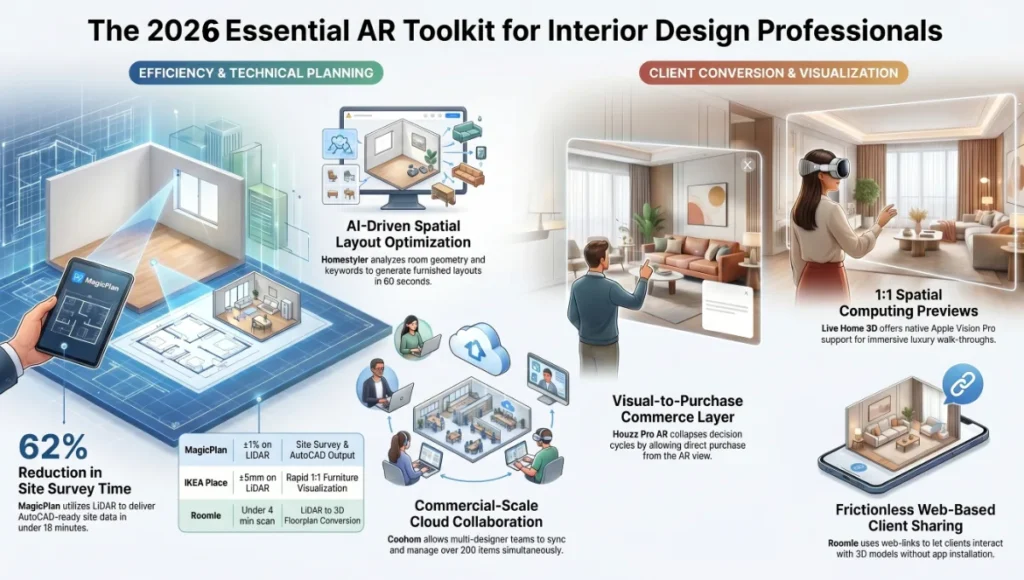
Platform: iOS (ARKit) and Android (ARCore). Asset library: 3,000+ true-to-scale 3D furniture models. Spatial accuracy: ±5mm on LiDAR devices. Use case: consumer-to-studio hybrid for rapid client furniture visualization. The tool lacks BIM integration but its 1:1 scale rendering and real-time lighting adjustment make it the fastest tool for live client sessions when the brief is furniture-specific. One structural limitation: no multi-user session capability, which kills its utility for remote design reviews.
2. Houzz Pro AR
Platform: iOS and Android. Floor plan integration: yes, imports room photos and generates approximate floor plan dimensions. Asset library: 20+ million products across 16 categories. Lighting simulation: static, not real-time dynamic. What Houzz Pro provides that 6 of the other 8 tools do not is a direct commerce layer — clients can add items to cart directly from the AR view. This creates a 3-step path from visualization to purchase confirmation, collapsing the decision cycle from days to minutes. For residential interior designers managing FF&E procurement, this is the most commercially efficient tool in the stack.
3. Roomle
Platform: iOS (LiDAR-optimized), Android, and web browser. Floor plan drawing: room scan to floorplan in under 4 minutes via LiDAR. Export formats: PDF, PNG, OBJ, and shareable web link. Roomle operates in the professional-adjacent segment — it is not a full BIM integration tool, but its web-based sharing link allows clients to interact with a 3D spatial model in a browser without installing any app. This is a critical friction reduction for client onboarding. The 2026 version supports wall materials, ceiling heights up to 6.5m, and real-time reconfiguration of modular furniture systems.
4. MagicPlan
Platform: iOS and Android. Measurement accuracy: ±1% on LiDAR devices, ±3% on ARCore devices. Export formats: DXF, PDF, JPG, CSV room data, and direct integration with Xactimate for cost estimation. MagicPlan’s primary value is not the AR visualization layer — it is the site survey replacement. A professional surveyor takes 45 to 90 minutes to manually measure a 3-bedroom apartment. MagicPlan with an iPad Pro LiDAR delivers equivalent data in 12 to 18 minutes with a digital output that feeds directly into AutoCAD. Studios in Rotterdam that have integrated MagicPlan into their site survey protocol report a 62% reduction in on-site time, freeing lead designers to spend more hours on concept development.
5. Homestyler
Platform: Web, iOS, Android. 3D model library: 150,000+ items across 300+ brands. AI space planning: yes, generates 3 layout options from a room scan in under 60 seconds using a layout optimization algorithm trained on 2.4 million residential floor plans. Homestyler introduced spatial AI in 2024 — a feature that analyzes the scanned room geometry, the client’s brief keywords, and the selected style category, then auto-populates a furnished layout. This is not a gimmick: the algorithm accounts for 900mm circulation corridors, door swing radii, and natural light angles based on GPS-derived orientation data. As a starting point for a design session rather than a final proposal, it compresses concept development time by approximately 3 hours per room.
6. DecorMatters
Platform: iOS. AR rendering engine: PBR with real-time ambient occlusion. Social layer: 2+ million community-shared designs. What DecorMatters does that the 8 other tools do not is integrate a community-sourced design library into the AR workflow. When 71% of clients agree they are more likely to commit to a design they can see placed in their own space — and when that AR view is informed by 2+ million tested spatial configurations from real users — you are not just showing them a rendered object, you are showing them evidence-backed spatial precedent. For junior designers, this functions as a live library of tested solutions.
7. Live Home 3D
Platform: iOS, iPadOS, macOS, Windows, Apple Vision Pro. Scale modes: 1:1, 1:25, 1:50. Material library: 2,100+ drag-and-drop materials including custom import. True Sun Lighting: yes — GPS-derived directional lighting that simulates real daylight angle for a given location and time of day. Live Home 3D is the only tool in this list with native Apple Vision Pro support as of Q1 2025, placing it in a unique position for studios working on luxury residential projects where spatial computing headset previews are a client expectation. The Vision Pro integration allows a client to walk through a spatially accurate 1:1 model of their unbuilt interior, complete with material rendering at sub-millimeter texture resolution.
8. Khelo AR / ARki Platform
Platform: iOS and web. Use case: architecture and interior design overlay on physical scale models and printed drawings. ARki bridges the gap between physical model culture — still prevalent in concept-stage architecture — and AR visualization. You hold an iPad over a physical 1:100 printed floor plan, and the AR layer renders a fully textured 3D model above it in real time. For presentations to planning committees, heritage boards, or clients who process spatial information better through physical-to-digital translation, this tool fills a gap that purely screen-based AR platforms cannot.
9. Coohom
Platform: Web, iOS, Android. Rendering engine: cloud-based ray tracing at 4K resolution. AR mode: real-time placement with cloud model sync. Floor plan to AR: under 3 minutes from upload to first AR session. 3D model library: 500,000+ items. Coohom operates at the commercial interior scale — it handles F&B, retail, hotel, and office projects that involve FF&E coordination across 20 to 200+ items simultaneously. Its cloud-based architecture means a team of 5 designers across different time zones can work on the same spatial model with live sync, resolve conflicts in real time, and deliver a client-facing AR session within the same day as a design change. For studios operating at commercial scale, this is the operationally mature option in the stack.
Concept Project Spotlight
Speculative / Internal Concept Study — The Spatial Approval Engine by Nuvira Space
Project Overview
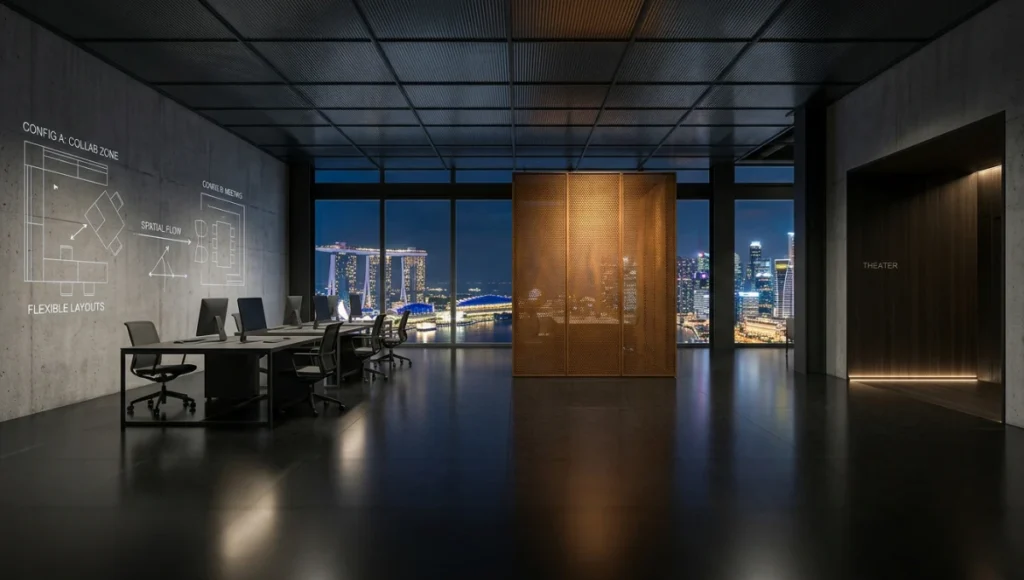
Location: Singapore, Central Business District, 22nd floor commercial retrofit
Typology: 1,200m2 mixed-use commercial interior — open-plan co-working, 4 private studio suites, 1 client presentation theater
Vision: Replace the conventional 3-presentation sign-off cycle with a single 90-minute AR-native design session in which all spatial decisions are made, annotated, and locked in the client’s physical space — eliminating the $0 value of revision rounds caused by static render misinterpretation.
The Spatial Approval Engine is a Nuvira Space internal concept that re-sequences the design workflow: site survey, BIM model, AR visualization, and client approval all occur within a single coordinated session rather than across separate meetings weeks apart.
Design Levers Applied
Phase 1 — LiDAR Site Capture
- Tool: MagicPlan on iPad Pro 12.9-inch (6th generation) with LiDAR
- Survey time: 18 minutes for 1,200m2 across 3 levels
- Output: DXF floor plan at ±1% dimensional accuracy
- Point cloud density: approximately 1 scan point per 4cm2 surface area
Phase 2 — AR Model Preparation
- Source BIM: Revit 2026 with IFC 4 export
- AR optimization: glTF 2.0 conversion with automatic LOD (level of detail) scaling
- Asset polygon budget: capped at 65,000 polygons per visible object
- Material setup: PBR metallic-roughness, 4K base color textures for hero materials, 2K for secondary
- Total model preparation time: 4.5 hours for 1,200m2 fully furnished commercial space
Phase 3 — Client AR Session
- Platform: Coohom cloud-sync AR + Apple Vision Pro for the client presentation theater zone
- Session format: 90-minute structured walkthrough across 6 spatial zones
- Annotation layer: client annotates 14 spatial decisions in-session using gaze-tracked pointer on Vision Pro
- Real-time revision: 3 furniture reconfigurations executed live during the session, each with <4-minute AR update cycle
- Sign-off: all 6 zones approved within the 90-minute session — 0 post-session revision rounds
For studios exploring how immersive walkthroughs complement AR-native sessions, see our guide on VR architectural walkthroughs — a parallel technology that addresses different stages of the design approval cycle.
Transferable Takeaway
The Spatial Approval Engine concept demonstrates that the bottleneck in interior design is not creativity — it is spatial communication. When you compress the translation gap between what a designer intends and what a client perceives, you eliminate the revision cycle that consumes 30 to 40% of a project’s total labor budget. The specific tool combination (MagicPlan + Revit + Coohom + Vision Pro) is less important than the principle: every spatial decision should be made inside the space it affects, not in front of a screen showing a photograph of that space.
Intellectual Honesty: Current Limitations
No analysis of AR tools for interior design is complete without an honest accounting of where the technology fails in production conditions.
- Lighting dependency: all SLAM-based AR systems degrade significantly below 80lux. In a site survey of an unfinished or poorly lit space, spatial mapping error increases by a factor of 3 to 4x, producing furniture placement inaccuracies of 30 to 60mm — enough to misrepresent clearance around a door swing.
- LiDAR device fragmentation: as of Q1 2025, LiDAR sensors are present in only 18% of active iOS devices and fewer than 9% of Android devices globally. Studios recommending AR tools to clients must either provide a device or accept that most clients will experience the tool at ARCore accuracy levels.
- 3D asset quality inconsistency: the vast majority of furniture brands do not provide PBR-ready 3D models. A designer using IKEA Place gets photorealistic assets because IKEA has invested in its 3D asset library since 2017. A designer specifying a mid-range furniture brand will often encounter low-poly, untextured placeholder geometry — which actively undermines client confidence rather than building it.
- Annotation portability: as of 2025, spatial annotations made in one AR platform are not portable to another. There is no open standard equivalent to IFC for AR session data. A client annotation made in Coohom cannot be imported into Live Home 3D. This creates vendor lock-in at the workflow level.
- Vertical surface mapping: all current consumer AR platforms struggle with blank white walls and mirror surfaces. Reflective or monochromatic surfaces defeat the plane-detection algorithms, producing object placement that floats or snaps to incorrect geometry.
2030 Future Projection
The trajectory of AR tools for interior design between 2026 and 2030 is shaped by 3 convergent technical forces: spatial computing hardware normalization, AI-powered generative layout, and open spatial data standards.
By 2027, ambient AR glasses from Google-Samsung (Android XR platform, announced 2025), Apple’s expected second-generation Vision product, and Meta’s smart glasses are projected to carry LiDAR-class spatial sensors as standard hardware. This removes the device fragmentation problem. Every client will carry a LiDAR sensor in their glasses, enabling persistent AR overlays of design proposals in their actual living or working space — not during a scheduled session, but continuously throughout their daily routine.
By 2028 to 2030, generative AI integrated directly into the AR layer will shift the designer’s role from spatial configurator to spatial editor. Instead of placing a sofa, you will describe a spatial brief in natural language — “reading corner, 2 seats, natural light priority, storage integrated” — and the AI generates 3 spatial configurations inside the AR view, photorealistic, dimensionally accurate, and pre-checked against your BIM model’s structural constraints. Your job becomes selection, refinement, and client mediation — not object placement.
The AR market for architecture and construction is projected to reach $11.14 billion by 2027. Interior design represents a significant vertical within that figure. Studios that have built AR-native workflows by 2026 will not be early adopters by 2030 — they will be the market standard that late-adopters are scrambling to match.
The Toolset: 5 Key Tools for a Production AR Interior Design Stack
- MagicPlan (Site Survey) — LiDAR-powered floor plan generation at ±1% accuracy, DXF and DWG export, direct Xactimate integration. $99/year professional plan.
- Revit 2025 with IFC 4 Export (BIM Source) — parametric model as the single source of truth, with <90-second AR export cycle via glTF 2.0 bridge plugins. $2,755/year subscription.
- Coohom (Commercial AR Visualization & Team Sync) — 500,000+ asset library, cloud-based multi-designer sync, 4K ray-traced renders, and real-time AR session with client annotation layer. Enterprise pricing from $299/month.
- Live Home 3D Pro (Consumer-Facing AR & Vision Pro Sessions) — 2,100+ materials, True Sun Lighting, 1:1 Apple Vision Pro mode, and iOS/macOS cross-platform file sync. $39.99 one-time purchase on macOS.
- Houzz Pro (FF&E Commerce Integration) — 20+ million products, direct cart-from-AR-view functionality, client collaboration portal, and invoicing tools. $149/month professional plan.
Comprehensive Technical FAQ
Q: What is the minimum device specification to run professional-grade AR tools for interior design?
A: For LiDAR-accuracy spatial mapping, you need an Apple iPad Pro (4th generation or later, released 2020 onward) or an iPhone 15 Pro / Pro Max. For ARCore-based AR on Android, a minimum of a Snapdragon 8 Gen 2 chipset is recommended to sustain 30fps with PBR asset rendering. Devices below this threshold will produce acceptable consumer-grade results but will not meet the ±2mm/m accuracy standard required for professional furniture specification.
- Minimum for professional AR: iPad Pro (4th gen+) or iPhone 15 Pro
- Android minimum: Snapdragon 8 Gen 2 or equivalent
- RAM requirement: 8GB minimum for stable multi-asset AR sessions
- Storage: allow 2 to 4GB per active project for 3D asset caching
Q: How do AR tools for interior design handle structural elements like load-bearing walls or electrical conduits?
A: Consumer AR tools do not. They render a surface mesh and allow object placement against it without any structural awareness. Professional workflows address this through BIM integration: when your AR session is linked to a Revit model that contains MEP (mechanical, electrical, plumbing) data and structural layers, the AR view inherits those constraints. A wall that is flagged as load-bearing in Revit will be visually distinguished in the AR layer if your tool supports IFC property set import. As of 2025, Coohom and ARki support basic structural layer visibility from IFC files. Full MEP-aware AR is a 2027 to 2028 capability.
Q: Can AR tools replace the physical site survey entirely?
A: For spaces under approximately 300m2 with standard ceiling heights (2.4m to 3.6m), LiDAR-powered tools like MagicPlan achieve accuracy sufficient to eliminate manual tape measurement for furniture specification. For spaces above 300m2, complex geometries (curved walls, vaulted ceilings, mezzanine levels), or projects requiring structural documentation, a professional total station survey or terrestrial laser scan at ±1mm accuracy is still required. AR is a 90% solution for site survey on standard residential and small commercial projects.
Q: What file formats must my 3D models be in for AR interior design tools?
A: The 2 dominant formats for AR asset delivery in 2026 are:
- USDZ (.usdz): Apple’s AR format, required for AR Quick Look on iOS/macOS and for Vision Pro. Generated from USD source files via Apple’s Reality Composer Pro.
- glTF 2.0 (.gltf / .glb): the open standard for web and cross-platform AR. Supported by Coohom, Homestyler, web AR platforms. The .glb (binary) variant is preferred for faster loading.
- OBJ (.obj): legacy format, still accepted by most tools but lacks PBR material support natively. Requires manual material assignment post-import.
- FBX (.fbx): Autodesk format, commonly exported from 3ds Max and Maya. Requires conversion to glTF or USDZ for AR deployment.
Q: How does AR lighting simulation affect material selection decisions?
A: This is where AR tools provide measurably different decision support than static renders. A 4K still render is lit at a single fixed moment with a fixed sun angle. An AR tool with True Sun Lighting (as in Live Home 3D) or dynamic lighting simulation calculates the actual light angle for your project’s GPS location at any time of day you specify. A marble surface that appears warm and inviting at 14:00 in a west-facing room will appear cold and flat at 09:00. AR lighting simulation surfaces this conflict before specification, saving the cost of a material substitution mid-project. In a high-specification residential project, a single material substitution after installation averages $3,200 to $8,500 in labor and material costs.
Q: What is the business case for investing in AR tools for a small interior design studio?
A: A studio billing 12 residential projects per year at an average value of $45,000 per project, with an average of 2.5 revision rounds per project at $3,500 per round, is spending approximately $105,000 per year on revision-related rework. Eliminating 1.5 of those revision rounds through AR-assisted client communication at a tool cost of approximately $4,800 per year (MagicPlan + Coohom + Live Home 3D Pro) produces a net annual saving of approximately $57,700 after tool costs. The ROI in year 1 is approximately 1,100%. For industry benchmarking data on interior design project costs and workflows, the American Institute of Architects (AIA) publishes annual practice reports that serve as a reference baseline for these projections.
The Geometry of the Decision
You have 2 choices. You can continue presenting interior design proposals as a sequence of flat images that clients interpret through spatial imagination — a cognitive process that introduces ambiguity at every step and converts that ambiguity into revision rounds that consume your margin. Or you can rebuild your client communication layer around AR tools that place your design inside the physical space your client already understands.
The 9 tools profiled in this article are tested, production-ready, and available today. The workflow shift they require is not a 12-month implementation project. It is a 3-week recalibration of your site survey protocol, your asset pipeline, and your client presentation format. The studios in Singapore, Rotterdam, and Copenhagen that have made this shift are not using AR as a differentiator — they are using it as the baseline expectation. The differentiator is becoming the studio that explains the technical depth behind what it sees.
That is what Nuvira Space is built to support. Start with 1 tool. Validate the workflow on 1 project. Measure the revision reduction. Then scale the stack.
© Nuvira Space | All rights reserved. Future Tech Series | All specifications cited are based on publicly available product documentation, platform technical specifications, ASID 2023 industry data, Forrester Research 2024, ScienceSoft 2024 AR market analysis, Yord Studio construction AR market projections, and Apple platform release notes.
The Spatial Approval Engine is a speculative internal concept study and does not represent a completed project.