

Table of Contents
The architectural profession is facing a silent crisis of miscommunication. As projects increase in complexity, the traditional reliance on 2D plans and static perspectives is failing to convey critical spatial data to stakeholders. In an era where “experience” is the primary commodity of built space, VR architectural walkthroughs have emerged not merely as a marketing luxury, but as a risk-mitigation necessity. By 2026, firms that cannot validate their designs in immersive, 1:1 scale environments will face increasing liability for “experiential errors”—spaces that meet code but fail humans.
Nuvira Perspective
At Nuvira Space, we believe the static image is a lie of omission. It flattens the complex, four-dimensional reality of architecture into a curated moment that never truly exists. We do not just “render” spaces; we simulate lived realities. Our mandate is human-machine synthesis—leveraging the raw computational power of real-time engines to close the distance between digital intent and the visceral experience of the built environment. This is not about making pretty pictures; it is about engineering certainty in an uncertain world.
The Death of the Static Render: Rise of VR Architectural Walkthroughs
The architectural industry is currently suffering from a crisis of spatial translation. A client looks at a static render—a perfectly lit, 16:9 vignette of a lobby—and nods. Six months later, they walk into the framed-out space and ask, “Why does this feel so narrow?”
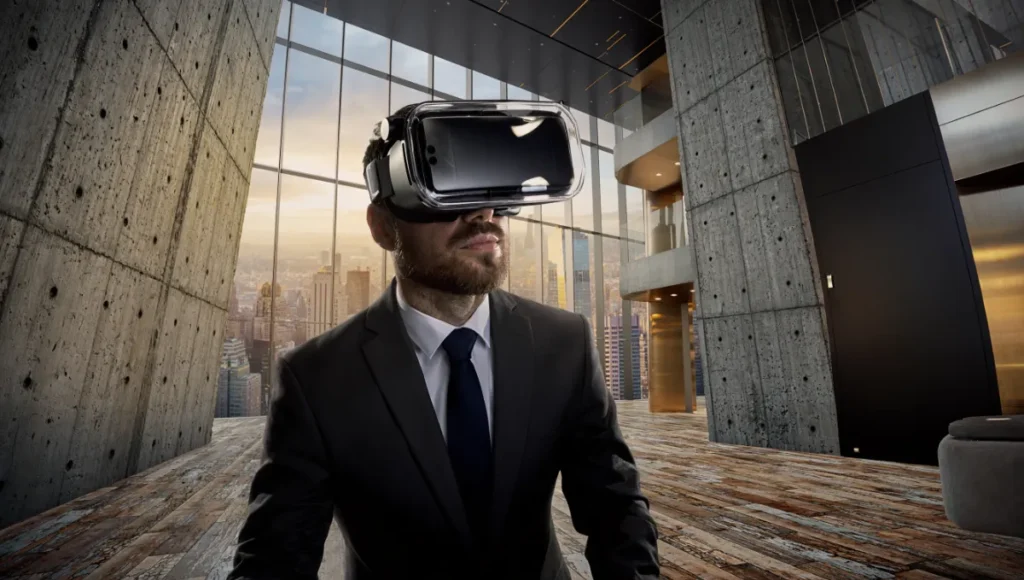
This discrepancy creates friction, change orders, and eroded trust. VR architectural walkthroughs are the antidote to this ambiguity. By shifting from pre-calculated frames to real-time simulation, we are not just changing the file format; we are changing the cognitive relationship between the stakeholder and the design.
Below is the technical breakdown of why this shift is mandatory for high-stakes rendering.
7 Key Ways VR Architectural Walkthroughs Outperform Static Renders
1. 1:1 Scale Perception & Proprioception in VR Walkthroughs
Static renders lack proprioception—the body’s sense of self in space. In a standard V-Ray render, the camera is an abstract floating point, often positioned at impossible angles to force a composition. In VR, the camera is the user’s head, and the horizon line is dictated by their physical height.
- The Technical Shift: We utilize 6 Degrees of Freedom (6DoF) tracking to map physical movement to virtual space. This triggers the user’s vestibular system, creating a feedback loop where the brain accepts the virtual geometry as physical collisions.
- The Result: When a client physically walks three steps in a virtual corridor, their brain registers the width of that corridor as absolute fact. “Tight” spaces feel tight. “Grand” atriums induce actual vertigo. This effectively eliminates the “scale shock” that occurs during site visits.
2. Global Illumination (Lumen) vs. Baked Lightmaps in VR Environments
Legacy workflows rely on “baking” light—a destructive process where shadow information is painted permanently onto texture maps. This assumes a static sun position and falsifies how light behaves over time. It creates a “perfect” lighting scenario that will never exist in reality.
- The Nuvira Standard: We utilize Lumen, Unreal Engine 5’s fully dynamic global illumination system. Lumen uses software ray tracing to calculate infinite light bounces in real-time. For a deep dive into the specific mechanics of this engine, refer to our guide on Unreal Engine 5 for Architecture.
- Benefit: We can scrub the timeline from 8:00 AM to 5:00 PM in real-time. The client sees exactly how the western sun hits the boardroom glazing, revealing potential glare issues that a curated static render would conveniently hide. This allows for valid solar studies, not just aesthetic ones.
3. Material Interaction & BRDF Integrity in VR Walkthroughs
A static image freezes a material at its most flattering angle. It hides the “specular breakup” that occurs when viewing a surface at a grazing angle. VR exposes the truth of the shader.
- Tech Spec: We use high-fidelity PBR (Physically Based Rendering) materials with complex BRDF (Bidirectional Reflectance Distribution Function) models. We map Anisotropy values to brushed metals and ensure Subsurface Scattering (SSS) is active for translucent materials like marble or jade.
- Interaction: As you move your head, the roughness maps and specular highlights react to the changing angle of incidence (Fresnel effect). You see the texture of the concrete, not just a picture of it.
4. Acoustic Spatialization within the VR Architectural Walkthrough
Visuals are only half the immersion; the other half is sonic. Static renders are silent, leading to a “visual bias” where acoustic failures are ignored until occupancy.
- The Nuvira Standard: We implement ray-traced audio occlusion using Google Resonance or Steam Audio plugins within the engine. We assign acoustic absorption coefficients to materials (e.g., glass reflects, carpet absorbs).
- Benefit: If you step behind a glass partition in our VR walkthrough, the ambient city noise dampens accurately based on the transmission loss (STC) rating of the partition. This allows architects to test acoustic privacy in open-plan offices before a single pane of glass is ordered.
5. Volumetric Understanding of Circulation and VR Flow
Static renders are disconnected islands of visual information. They fail to show how one space bleeds into another, often masking awkward transition zones or unresolved MEP clashes.
- The Workflow: VR enforces continuity. We cannot hide a messy junction, a dropped ceiling transition, or a conflict between HVAC bulkheads and lighting coves behind a conveniently placed plant.
- The Accountability: The user can look everywhere—up at the plenum, down at the skirting, and behind the columns. This radical transparency forces us to resolve every square inch of the BIM model, effectively acting as a visual clash detection pass.
6. Real-Time Design Optioneering via VR Architectural Walkthroughs
In a static workflow, changing a floor finish from concrete to timber is a 4-hour re-render and post-production cycle. This latency kills the flow of design meetings.
- The Nuvira Standard: We build “Variant Sets” into the runtime executable using Blueprint scripting. We pre-load memory-resident texture arrays.
- Benefit: With a single controller click, we can swap the lobby flooring from Terrazzo to Oak instantly, maintaining the exact lighting conditions. Decision latency drops from days to seconds, allowing clients to “A/B test” expensive finishes in real-time.
7. The “Uncurated” Angle of VR Architectural Walkthroughs
Renderers are photographers; we frame the best shots and hide the mistakes. We use tilt-shift lenses to fix verticals and vignette shadows to hide corners. VR democratizes the viewpoint.
- The Reality: The client can look under the table. They can look at the HVAC returns. They can stand in the corner we didn’t want them to see. This builds unprecedented trust because the client knows nothing is being hidden.
Comparative Analysis: Nuvira Vs. Industry Standard
| Feature | Industry Standard (Static/360 Panos) | Nuvira Space (Real-Time VR) |
|---|---|---|
| Engine | V-Ray / Corona (Offline) | Unreal Engine 5 (Real-Time) |
| Lighting | Baked / Static HDRIs | Fully Dynamic / Ray-Traced (Lumen) |
| Geometry | Proxy-heavy / Low-poly optimized | Nanite Virtualized Geometry (Billions of polys) |
| Interactivity | Zero (Passive viewing) | Full (Open doors, move objects, change lights) |
| Frame Rate | 1 Frame per 3 hours (Rendering time) | 90 Frames per Second (Runtime) |
| Data Utility | Visual Only | Biometric & Spatial Data capable |
Concept Project Spotlight: Speculative / Internal Concept Study
Project: The Rotterdam Hydro-Port Rebirth by Nuvira Space
Project Overview
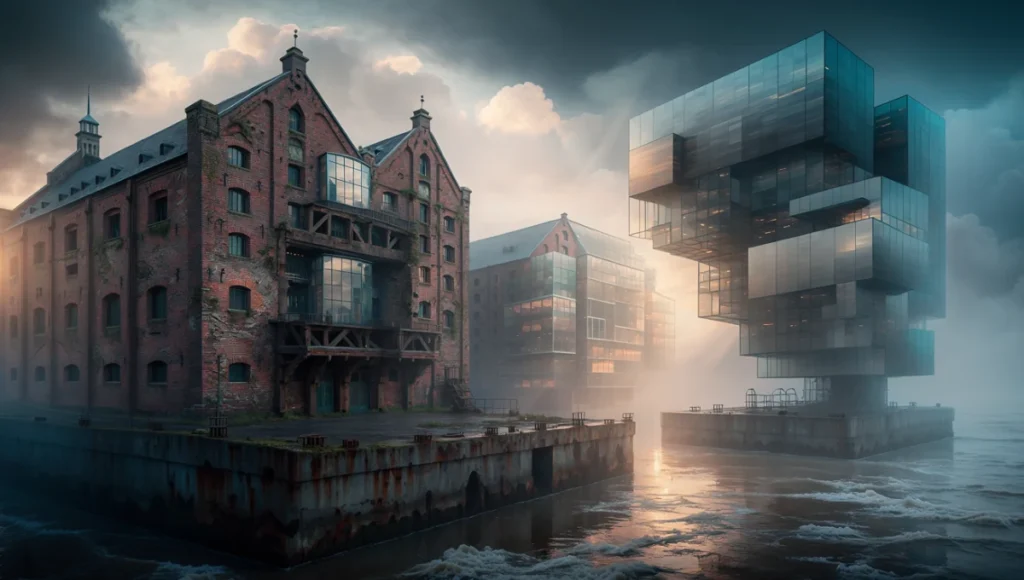
Location: Rotterdam, Netherlands (Merwe-Vierhavens District) Typology: Adaptive Reuse / Mixed-Use Residential Vision: To test the limits of Nanite geometry in a dense, moisture-rich atmospheric environment. Rotterdam was chosen for its distinct atmospheric light and the complexity of blending historic brick port structures with hyper-modern glass additions.
Design Levers Applied: VR Architectural Walkthroughs in Port Contexts
We utilized this internal study to push the boundaries of “wet” materials in VR, which are notoriously difficult to render in real-time due to the calculation of dual reflections (water layer + base layer).
- Atmospheric Density: We used UE5’s local volumetric fog to simulate the heavy, salt-laden air of the Rotterdam harbor. This isn’t a post-production filter; it is a volumetric particle simulation that reacts to dynamic light. When the sun dips below the horizon, the fog scatters the light spectrum realistically (Rayleigh scattering).
- Nanite Brickwork: Instead of using normal maps (fake depth) for the historic brick facades, we imported photogrammetry scans of actual Rotterdam masonry. Each brick is true geometry. Nanite clusters these triangles on the fly, allowing us to render millions of polygons without a frame rate drop.
- Dynamic Weather: The user can trigger a rain event. We scripted a “Wetness” parameter collection that drives the roughness and specular inputs of the master material shader. The pavement shifts in real-time from dry (0.8 roughness) to wet (0.1 roughness), creating accurate puddling and reflections based on the mesh topology.
Transferable Takeaway
This stress test proved that we no longer need to optimize geometry for the sake of frame rate. We can now visualize heritage projects with sub-millimeter accuracy, allowing conservation architects to inspect masonry degradation in VR before scaffolding is even erected.
Intellectual Honesty: Hardware Check for VR Architectural Walkthroughs
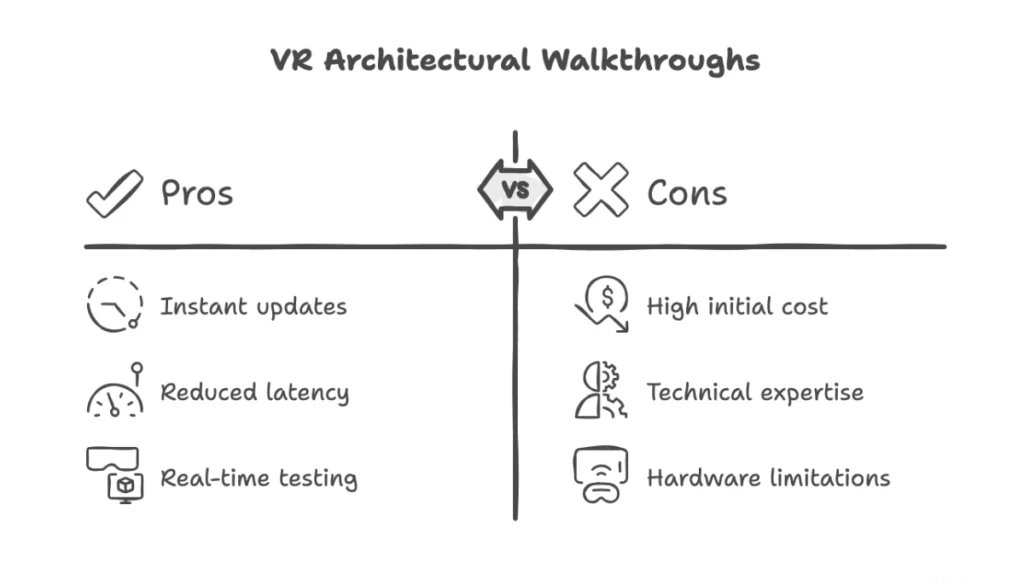
Let’s be direct: Real-time high fidelity is expensive. You cannot run a Nuvira-grade walkthrough on a standard office laptop. To achieve the 90 FPS required to prevent motion sickness while running Lumen and Nanite, we deploy specific hardware stacks.
The Minimum Spec for Consumption:
- GPU: NVIDIA RTX 4090 (24GB VRAM). The VRAM is the critical bottleneck. High-resolution textures (4K/8K) for an entire building require massive video memory buffers. If VRAM fills up, the engine swaps to system RAM, causing stuttering and immediate nausea in VR.
- HMD (Head Mounted Display): Varjo XR-4 or Meta Quest 3 (tethered via Quest Link at 500mbps bitrate).
- RAM: 64GB DDR5 (to handle the uncompressed BIM datasets).
If your stakeholders do not have this hardware, we utilize Pixel Streaming. We run the simulation on our onsite render farms and stream the interactive video feed to the client’s iPad or web browser. It introduces minor latency (20-30ms), but democratizes access to the simulation.
2030 Future Projection: The Evolution of VR Architectural Walkthroughs
By 2030, the “walkthrough” will cease to be a distinct deliverable. It will be the design environment itself, integrated into the concept of the Digital Twin for Smart Cities.
- NeRF Integration: We will stop modeling existing contexts manually. Neural Radiance Fields (NeRFs) and Gaussian Splatting will allow us to scan a site with a drone and instantly inhabit a photorealistic, volumetric digital twin of the neighborhood. This will allow architects to design inside the scanned reality of the site.
- Biometric Feedback: VR headsets will track the user’s pupil dilation (cognitive load) and heart rate (stress response). We will know, empirically, which spaces cause stress and which induce calm. This connects directly to the principles of Neuroarchitecture, allowing us to optimize architecture for physiological well-being before construction.
- AIA Case Evidence: The American Institute of Architects (AIA) has noted that incorporating environmental simulations based on virtual reality can lower energy consumption by as much as 30% in finished projects. This shift from aesthetic review to performance simulation is the future of the medium. (Refer to AIA adoption reports for deeper data on this trend).
Secret Techniques: Advanced User Guide for VR Walkthrough Optimization
For the technical directors reading this, here is how we squeeze extra fidelity out of the engine without killing the frame rate:
- The “Flipped” Normal Trick for Glass: Real-time refraction is expensive. For double-glazed facades, we simulate the inner pane with a simple opacity mask and only ray-trace the outer pane. It saves 4ms per frame with zero visual degradation.
- Forward Shading vs. Deferred: While Deferred Rendering allows for more lights, we often switch to Forward Shading for VR projects. It supports MSAA (Multi-Sample Anti-Aliasing), which is far superior to TAA (Temporal Anti-Aliasing) for VR clarity. TAA tends to blur when the head moves; MSAA keeps lines crisp.
- DLSS is Your Friend: We aggressively use NVIDIA’s Deep Learning Super Sampling (DLSS). We render at 1440p and upscale to 4K using AI. The result is often sharper than native 4K because the AI reconstructs fine details that the rasterizer misses.
- Virtual Shadow Maps (VSM): We enable VSMs to handle the soft shadows required for large architectural scenes. Unlike cascading shadow maps, VSMs provide consistent resolution from the foreground to the horizon, essential for convincing vast site plans.
Comprehensive Technical FAQ on VR Architectural Walkthroughs
Q: Can you import my Revit model directly?
A: Yes, but with caveats. We use Datasmith for direct translation. However, Revit geometry is efficient for construction documentation, not visualization. It is often non-manifold and heavy. We must run a “decimation and re-topology” pass to ensure the normals behave correctly under ray-traced lighting.
Q: Why do I feel motion sickness in other VR demos?
A: Latency and frame rate drops. If the frame rate dips below 72 FPS, the “drag” between your head movement and the visual response confuses your inner ear (vestibular dissonance). We lock our physics and render thread to ensure a rock-solid 90 FPS, even if it means sacrificing some shadow resolution.
Q: Is this useful for interiors, or just exteriors?
A: Interiors benefit more. The nuances of interior design—fabrics, tight corners, lighting temperature—are where VR shines. The sense of enclosure is palpable.
Q: How do you handle “baked” shadows if I want to move furniture?
A: We don’t bake. We use Lumen. Moving a chair in our walkthroughs immediately changes the soft shadows and the bounce light (global illumination) on the wall behind it. It is fully dynamic.
Q: How does this integrate with LEED or WELL certification?
A: By simulating daylighting autonomy and glare in VR, we can make design adjustments that directly contribute to LEED daylighting credits. Furthermore, the acoustic simulation capabilities help in achieving WELL Sound concepts.
BUILD YOUR REALITY
The era of the static image is over. Stop guessing at scale. Stop hoping the light works. Step inside the data.
Contact the Nuvira Lab today to schedule a demonstration of the Rotterdam Hydro-Port simulation.
For the complete pipeline — engines, capture, materials, hardware, and presentation — see our architectural visualization guide.
1 thought on “7 Key Ways VR Architectural Walkthroughs Outperform Static Renders”